



|
This item has been sold |
| 21 | |
| times |


Duelist (Nintendo Switch)

The Retro Fighters Duelist brings GameCube-style button layout to your Nintendo Switch with modern wireless technology, designed specifically for Super Smash Bros. Ultimate players.
- GameCube-inspired design with Pro Controller ergonomics for maximum comfort during intense matches
- Exclusive features for Smash Bros. Ultimate including enlarged "A" button and innovative "S" button for easy Smash and Short Hop attacks
- Wireless Bluetooth connectivity with 9m range, LED indicator, and rechargeable battery for untethered gameplay
- Dual "Z" triggers and Mode Attack button for quick switching between attack styles
- Complete package includes controller, manual, and USB-C charging cable
Master Super Smash Bros. Ultimate with GameCube nostalgia and modern wireless freedom
If you've been craving that classic GameCube controller feel for your Super Smash Bros. Ultimate sessions but want the convenience of wireless technology, the Retro Fighters Duelist is your perfect match. This ingeniously designed gamepad combines the beloved button layout and aesthetics of the iconic GameCube controller with the ergonomics and comfort of a modern Pro controller, giving you the best of both worlds.
Built exclusively for competitive Smash Bros. play
The Duelist isn't just another third-party controller—it's been crafted specifically with the Super Smash Bros. community in mind. The standout feature is the innovative "S" button that lets you execute your favorite Smash or Short Hop attacks with a single press. Simply toggle between attack modes using the Mode Attack button (marked with a punch icon) at the center of your controller, and you're ready to dominate. The enlarged "A" button gives you that perfect tactile response for all your primary attacks, while the dual "Z" triggers ensure you never miss a shield or grab.
Wireless freedom meets thoughtful design
Thanks to the latest Bluetooth wireless technology, you can play up to 9 meters away from your Switch without any lag. The rechargeable lithium-ion battery keeps you gaming for hours, and when you need to charge up, just connect the included USB-C cable. The LED indicator keeps you informed of your connection status, while the Turn On System feature lets you wake your Switch directly from the controller. Every button has been carefully positioned so your thumbs can reach them effortlessly, no matter your play style—giving you a truly seamless gaming experience that keeps you in the zone during those crucial tournament moments.

- System
- Nintendo Switch
- Controller type
- Gamepad
- Brand compatibility
- Nintendo
- Battery category
- Secondary, 1-50g
- WEEE registration number
- 23582226
- Battery weight (g)
- 40
- Connection type
- Bluetooth
- Number of analog sticks
- 2
- Controller layout
- Gamepad
- Input modes (Bluetooth)
- Switch mode
- Input mode switching
- Nintendo Switch: Bluetooth Switch controller mode. GameCube-style layout with extra Smash/Short-Hop S button. USB-C is documented for charging; USB gamepad input or dedicated XInput/DInput modes are not confirmed.
Practical answers about compatibility, features and how things work.
What input modes are available: XInput, DInput, Switch and PlayStation?
XInput is the best choice for most PC gamers. This widely supported input mode follows the Xbox controller layout and is recognized directly by many modern Windows games. For most users, that is all they need. However, XInput support does not automatically mean a controller works on a real Xbox console.
DInput (DirectInput) is the older Windows standard. Some older PC games, such as Crimson Skies or Need for Speed: Underground 2, support DirectInput but not native XInput.
An additional DInput or generic USB HID mode can also be useful for retro gaming systems, FPGA devices, emulators and other specialized setups. Some devices support Xbox-compatible controllers, while others expect a standard USB HID gamepad. Which input modes work depends on the specific device and its software.
For example, MiSTer FPGA supports many USB controllers as well as Xbox-compatible input devices. Depending on the core, different button mappings or special input features may be required. DInput itself is therefore not a general requirement on MiSTer.
If you plan to use your controller with retro or FPGA systems, check which input modes are supported beforehand. A controller with several selectable modes offers more flexibility.
Switch mode makes the controller appear to compatible devices as a Nintendo Switch Pro Controller. It can be useful beyond the Switch: Steam Input, Linux and various applications can also support these controllers. However, not every PC game will recognize this mode automatically.
PlayStation mode can refer to different compatibility modes depending on the controller, such as PS4 controller or PlayStation Classic modes. There is no single universal PlayStation mode. Compatibility with a particular PlayStation console must be explicitly confirmed for the product.
Connection type matters: Not every input mode is available over every connection. Some controllers support DInput only via a USB cable, while others also offer it through a 2.4 GHz receiver or Bluetooth.
That is why our technical specifications list confirmed input modes separately for USB, 2.4 GHz and Bluetooth.
What is the difference between 2.4 GHz wireless and Bluetooth controllers?
Both types of connection are wireless and use the 2.4 GHz frequency band. The difference is the transmission technology: Bluetooth is a widely used standard, whereas “2.4 GHz wireless” usually refers to a manufacturer's own radio link with a matching receiver.
Bluetooth: flexible and widely compatible
Many PCs, gaming handhelds, smartphones, tablets and consoles support Bluetooth controllers. If the controller is compatible with the device, you usually pair it once through the Bluetooth settings. After that, it will normally reconnect automatically.
No additional receiver is needed, leaving a USB port free.
However, not every Bluetooth-enabled device supports every Bluetooth controller. Game consoles in particular may require certain controller models or input modes.
2.4 GHz wireless: plug in and play
Controllers using 2.4 GHz wireless usually come with a matching USB receiver (dongle). Plug it in and switch the controller on. The two are often paired already.
This offers several advantages:
- No Bluetooth menu or Bluetooth manager setup is needed.
- It also works with compatible devices that have no built-in Bluetooth.
- Many systems recognize the receiver as a regular USB controller.
- That can be particularly useful for PCs, retro systems and other devices with USB ports.
The device must still support the particular receiver and its input mode. Not every dongle automatically works with every system. Some retro controllers also use dedicated receivers for particular consoles.
What about speed?
Many 2.4 GHz controllers offer high polling rates and low, consistent latency. Modern Bluetooth controllers can also be very fast, however. Actual performance depends on the specific controller and connection.
Which connection should I choose?
Bluetooth is especially useful if you want to use a controller with different compatible devices without carrying an extra receiver.
2.4 GHz wireless is often a good choice if you want a straightforward setup, prefer a responsive connection, or use a device without Bluetooth.
Check the product's technical specifications to see which connections and systems it supports.
What do polling rate and latency mean for a controller?
Polling rate and latency both affect how quickly a controller responds to your inputs, but they describe two different things.
What is polling rate?
Polling rate describes how often the controller or its connection reports or requests new input data from the system.
It is measured in hertz (Hz).
| Polling rate | Reporting interval |
|---|---|
| 125 Hz | 8 milliseconds |
| 250 Hz | 4 milliseconds |
| 500 Hz | 2 milliseconds |
| 1,000 Hz | 1 millisecond |
The higher the polling rate, the shorter the interval between input reports can be.
A high polling rate can therefore be useful in fast-paced games. The connected system must also support the relevant reporting rate.
What is latency?
Latency is the delay between an action on the controller and the moment the system registers that input.
Several factors contribute to this delay:
- How quickly the controller detects and processes the button press.
- How long transmission via cable, Bluetooth or 2.4 GHz wireless takes.
- How quickly the connected system processes the input.
Before the action becomes visible on the screen, the game and display introduce additional processing delays.
Does a 1,000 Hz polling rate automatically mean 1 ms of latency?
No. At 1,000 Hz, only the reporting interval is one millisecond. The total input delay can be considerably higher.
In practice, a well-optimized controller running at 500 Hz can therefore respond faster than a poorly optimized controller running at 1,000 Hz.
Which values matter?
For most games, consistently low latency matters more than the highest possible polling rate.
Low delays can be especially beneficial for fast action games, shooters and competitive games. In retro games, processing by emulators, consoles or FPGA systems and the display also matter.
Our tip: A high polling rate is an interesting technical specification, but does not by itself prove that a controller is fast. Measurements of real-world latency under comparable conditions are more meaningful.
Manufacturer
EU responsible person


Brawler64 Bluetooth NSO Limited Gold Edition

D6 Dreamcast Controller (Dreamcast / Switch / PC)


SNES Coffee Mug
Authentic Super Nintendo controller design with vibrant purple button graphics
Perfect 0.3 liter capacity for coffee, tea, or energy drinks during gaming marathons
Durable ceramic construction built for everyday use
Dishwasher safe for hassle-free cleaning
Ideal gift for retro gaming enthusiasts and SNES collectors
Officially licensed Nintendo merchandise
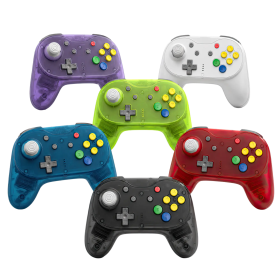
Brawler64 Pro
Hall Effect analog stick with 8-way notched gate – no drift, no wear
2.4GHz wireless + wired USB mode with 1000Hz polling rate
Programmable back buttons & adjustable rumble
Compatible with N64, Nintendo Switch, Switch 2, PC, Steam Deck & MiSTer FPGA
Magnetic faceplate system for instant color swaps
Includes: controller, N64 Retro Receiver, USB Receiver, braided USB-C cable, quick start manual

BattleDock (Nintendo Switch 2)
4× GameCube controller ports with ultra-low input latency
Plug & Play – just slide in your dock, connect via USB, and you're good to go
4 magnetic swappable faceplates in classic GameCube colors included
Compatible with wired & wireless GC controllers (e.g. WaveBird)

Defender Pro (PSX / PS2 / PS3 / PC / Switch)
Hall Effect analog sticks eliminate stick drift for precise control
Dual wireless modes: 2.4GHz and Bluetooth with 30+ foot range
Programmable back grip buttons and pressure-sensitive face buttons
1000Hz polling rate for ultra-low latency performance
Switch between analog and digital trigger modes on the fly
Complete package with PS1/2 receiver, USB receiver, and braided USB-C cable

Hunter360 Controller (XBox360)
Hall Effect analog sticks guarantee zero drift and ultimate precision
Ultra-responsive 1000Hz polling rate for pro-level performance
Reliable 2.4GHz wireless with 30+ feet range and 10+ hour battery life
Compatible with Xbox 360, PC, Steam, and Android devices
USB-C charging and customizable rumble intensity
D6 Dreamcast Controller (Dreamcast / Switch / PC)

BattlerGC Pro Wireless Controller (GameCube)
Dual wireless: 2.4 GHz & Bluetooth for GameCube, Wii, Switch & PC
Hall Effect sensors eliminate stick drift forever
Premium Kailh® switches and authentic GC-style analog triggers
10+ hours battery life with wireless vibration feedback
Ergonomic design with dual Z buttons and programmable back buttons

Mantis Wireless Mini Bluetooth Controller (PS4 / PC)
Brawler64 Bluetooth NSO Limited Gold Edition
Defender Bluetooth Edition (PS3/PS4)
Brawler64 Bluetooth NSO Edition
Hunter XBOX® Wireless gamepad
Hall Effect analog sticks and triggers guarantee zero drift, ever
2.4 GHz wireless technology with 10+ hour rechargeable battery
Compatible with original XBOX®, Nintendo Switch® and Windows PC
Wireless rumble, pressure-sensitive buttons, and ergonomic design
Premium textured grips and precise D-pad for ultimate control
Easy sync and setup with low-latency wireless connection
BattlerGC Wireless Controller (GameCube, Switch, PC)
Brawler64 Pro
Hall Effect analog stick with 8-way notched gate – no drift, no wear
2.4GHz wireless + wired USB mode with 1000Hz polling rate
Programmable back buttons & adjustable rumble
Compatible with N64, Nintendo Switch, Switch 2, PC, Steam Deck & MiSTer FPGA
Magnetic faceplate system for instant color swaps
Includes: controller, N64 Retro Receiver, USB Receiver, braided USB-C cable, quick start manual
BattleDock (Nintendo Switch 2)
4× GameCube controller ports with ultra-low input latency
Plug & Play – just slide in your dock, connect via USB, and you're good to go
4 magnetic swappable faceplates in classic GameCube colors included
Compatible with wired & wireless GC controllers (e.g. WaveBird)
Defender Pro (PSX / PS2 / PS3 / PC / Switch)
Hall Effect analog sticks eliminate stick drift for precise control
Dual wireless modes: 2.4GHz and Bluetooth with 30+ foot range
Programmable back grip buttons and pressure-sensitive face buttons
1000Hz polling rate for ultra-low latency performance
Switch between analog and digital trigger modes on the fly
Complete package with PS1/2 receiver, USB receiver, and braided USB-C cable
Hunter360 Controller (XBox360)
Hall Effect analog sticks guarantee zero drift and ultimate precision
Ultra-responsive 1000Hz polling rate for pro-level performance
Reliable 2.4GHz wireless with 30+ feet range and 10+ hour battery life
Compatible with Xbox 360, PC, Steam, and Android devices
USB-C charging and customizable rumble intensity
D6 Dreamcast Controller (Dreamcast / Switch / PC)
BattlerGC Pro Wireless Controller (GameCube)
Dual wireless: 2.4 GHz & Bluetooth for GameCube, Wii, Switch & PC
Hall Effect sensors eliminate stick drift forever
Premium Kailh® switches and authentic GC-style analog triggers
10+ hours battery life with wireless vibration feedback
Ergonomic design with dual Z buttons and programmable back buttons
Mantis Wireless Mini Bluetooth Controller (PS4 / PC)

Retro85 Mini NES Cartridge Switch Game Cases
Brawler64 Bluetooth NSO Limited Gold Edition
Defender Bluetooth Edition (PS3/PS4)
Brawler64 Bluetooth NSO Edition
Hunter XBOX® Wireless gamepad
Hall Effect analog sticks and triggers guarantee zero drift, ever
2.4 GHz wireless technology with 10+ hour rechargeable battery
Compatible with original XBOX®, Nintendo Switch® and Windows PC
Wireless rumble, pressure-sensitive buttons, and ergonomic design
Premium textured grips and precise D-pad for ultimate control
Easy sync and setup with low-latency wireless connection