



|
This item has been sold |
| 40 | |
| times |


8BitDo SN30 Pro USB Gamepad (PC, macOS, Linux)

Experience retro gaming perfection with the 8BitDo SN30 Pro USB Gamepad – a modern classic that brings SNES nostalgia to your PC gaming setup.
- Classic SNES design meets modern gamepad functionality
- Premium D-Pad perfect for retro games and precision platforming
- Dual analog sticks, four shoulder buttons, and full rumble support
- Plug-and-play USB connection for Windows PC
- Professional-grade build quality from the trusted 8BitDo brand
- Includes USB cable for instant gaming action
The perfect fusion of retro charm and modern gaming performance
If you're looking for a gamepad that combines the legendary feel of the Super Nintendo controller with today's gaming demands, the 8BitDo SN30 Pro USB Gamepad is exactly what you need. This isn't just another retro-styled controller – it's a premium gaming tool that delivers authentic SNES nostalgia while giving you all the modern features you expect from a professional-grade gamepad.
Why retro gamers love this controller
The 8BitDo SN30 Pro USB Gamepad features that iconic SNES layout with a precision D-Pad that's absolutely perfect for classic games, platformers, and fighting games. You get the tactile response and accuracy that made the original SNES controller legendary, but with added dual analog sticks for modern games that require them. Four shoulder buttons give you complete control in any gaming scenario, while the four face buttons maintain that satisfying click you remember from your childhood.
Modern features for today's gaming
Don't let the retro looks fool you – this gamepad is packed with contemporary features. Built-in rumble feedback brings your games to life with immersive vibrations. The USB connection means true plug-and-play convenience with your Windows PC – no batteries to worry about, no wireless lag, just pure, reliable gaming. Whether you're diving into your favorite emulated classics or playing modern indie games, this controller handles it all with style.
Premium 8BitDo quality
8BitDo has earned its reputation as one of the best controller manufacturers on the market, and the SN30 Pro USB Gamepad shows exactly why. From the solid build quality to the responsive buttons and precise analog sticks, every detail has been carefully crafted for the ultimate gaming experience. The package includes everything you need to start playing: the controller and a USB cable for instant connection to your PC.

- System
- Nintendo Switch
Raspberry Pi
Windows PC - Controller type
- Gamepad
- Special features
- Vibration
- WEEE registration number
- 23582226
- Controller connector
- USB
- Connection type
- Wired
- Number of analog sticks
- 2
- Connection compatibility
- Wired USB
- Stick technology
- Standard
- Trigger technology
- Digital/standard
- Controller layout
- Nintendo ABXY (SNES / Switch)
Retro gamepad - Motion control
- No
- Vibration
- Yes
- 3.5 mm audio
- No
- Extra/back buttons
- Turbo (Windows)
- Remapping/software
- No
- Charging dock included
- No
- Input modes (USB)
- Switch mode
XInput - Input mode switching
- USB only: XInput on Windows and Switch controller mode on Nintendo Switch. For Switch, enable Pro Controller Wired Communication (Switch firmware 3.0+). No Bluetooth/2.4G or official DInput mode.
Practical answers about compatibility, features and how things work.
What input modes are available: XInput, DInput, Switch and PlayStation?
XInput is the best choice for most PC gamers. This widely supported input mode follows the Xbox controller layout and is recognized directly by many modern Windows games. For most users, that is all they need. However, XInput support does not automatically mean a controller works on a real Xbox console.
DInput (DirectInput) is the older Windows standard. Some older PC games, such as Crimson Skies or Need for Speed: Underground 2, support DirectInput but not native XInput.
An additional DInput or generic USB HID mode can also be useful for retro gaming systems, FPGA devices, emulators and other specialized setups. Some devices support Xbox-compatible controllers, while others expect a standard USB HID gamepad. Which input modes work depends on the specific device and its software.
For example, MiSTer FPGA supports many USB controllers as well as Xbox-compatible input devices. Depending on the core, different button mappings or special input features may be required. DInput itself is therefore not a general requirement on MiSTer.
If you plan to use your controller with retro or FPGA systems, check which input modes are supported beforehand. A controller with several selectable modes offers more flexibility.
Switch mode makes the controller appear to compatible devices as a Nintendo Switch Pro Controller. It can be useful beyond the Switch: Steam Input, Linux and various applications can also support these controllers. However, not every PC game will recognize this mode automatically.
PlayStation mode can refer to different compatibility modes depending on the controller, such as PS4 controller or PlayStation Classic modes. There is no single universal PlayStation mode. Compatibility with a particular PlayStation console must be explicitly confirmed for the product.
Connection type matters: Not every input mode is available over every connection. Some controllers support DInput only via a USB cable, while others also offer it through a 2.4 GHz receiver or Bluetooth.
That is why our technical specifications list confirmed input modes separately for USB, 2.4 GHz and Bluetooth.
What do polling rate and latency mean for a controller?
Polling rate and latency both affect how quickly a controller responds to your inputs, but they describe two different things.
What is polling rate?
Polling rate describes how often the controller or its connection reports or requests new input data from the system.
It is measured in hertz (Hz).
| Polling rate | Reporting interval |
|---|---|
| 125 Hz | 8 milliseconds |
| 250 Hz | 4 milliseconds |
| 500 Hz | 2 milliseconds |
| 1,000 Hz | 1 millisecond |
The higher the polling rate, the shorter the interval between input reports can be.
A high polling rate can therefore be useful in fast-paced games. The connected system must also support the relevant reporting rate.
What is latency?
Latency is the delay between an action on the controller and the moment the system registers that input.
Several factors contribute to this delay:
- How quickly the controller detects and processes the button press.
- How long transmission via cable, Bluetooth or 2.4 GHz wireless takes.
- How quickly the connected system processes the input.
Before the action becomes visible on the screen, the game and display introduce additional processing delays.
Does a 1,000 Hz polling rate automatically mean 1 ms of latency?
No. At 1,000 Hz, only the reporting interval is one millisecond. The total input delay can be considerably higher.
In practice, a well-optimized controller running at 500 Hz can therefore respond faster than a poorly optimized controller running at 1,000 Hz.
Which values matter?
For most games, consistently low latency matters more than the highest possible polling rate.
Low delays can be especially beneficial for fast action games, shooters and competitive games. In retro games, processing by emulators, consoles or FPGA systems and the display also matter.
Our tip: A high polling rate is an interesting technical specification, but does not by itself prove that a controller is fast. Measurements of real-world latency under comparable conditions are more meaningful.
Manufacturer
EU responsible person
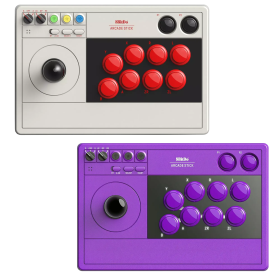


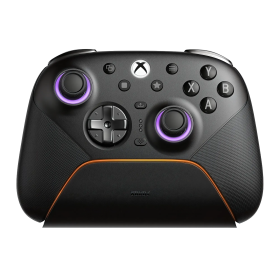
8BitDo Ultimate 3E Controller Gray (Xbox, PC, Android, iOS)
Swappable ABXY modules, D-pads and joystick caps
TMR joysticks, Hall triggers and additional buttons
2.4 GHz or USB on Xbox and Windows; mobile Bluetooth
1400 mAh battery, charging dock and accessory pack included
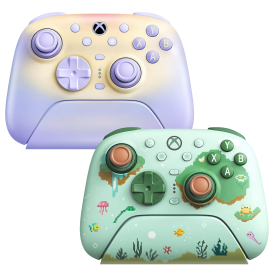
8BitDo Ultimate 3 Controller (Xbox, PC, Android, iOS)
Officially licensed for Xbox Series X|S and Xbox One
2.4 GHz/USB for Xbox and Windows; Bluetooth for Android and Apple
Adjustable-tension TMR sticks and two-stop Hall triggers
Charging dock included; up to 20 hours battery life
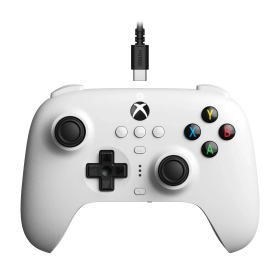
8BitDo Ultimate Wired Hall Controller (Xbox, PC)
Hall Effect sticks and triggers
Official Xbox licence
Back paddles, profiles and headset jack
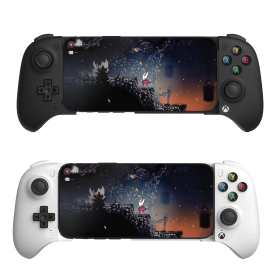
8BitDo Ultimate Mobile Xbox Edition (Android, iOS)
Designed for Xbox cloud gaming
Bluetooth and adjustable phone holder
Hall sticks, triggers and back paddles
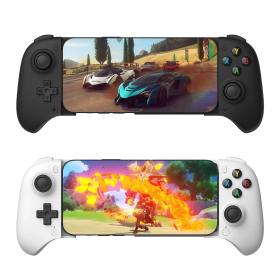
8BitDo Ultimate Mobile Gaming Controller (Android, iOS)
Bluetooth gamepad with telescopic phone grip
Hall sticks and triggers
Two rear paddles and app customization
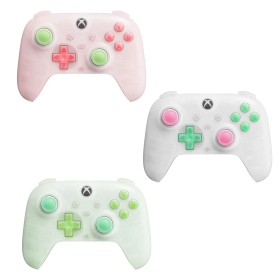
8BitDo Ultimate Mini Wired Controller (Xbox, PC)
Around 20 percent smaller than Ultimate C
Hall sticks and triggers
RGB lighting and Xbox licence
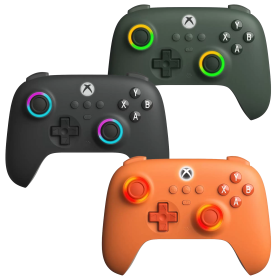
8BitDo Ultimate C Wired Controller (Xbox, PC)
Hall Effect sticks and triggers
Official Xbox licence
RGB Fire Rings and headset jack
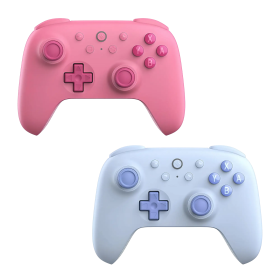
8BitDo Ultimate 2C Bluetooth Controller (Switch)
Hall Effect sticks
Directly remappable R4/L4 bumpers
Bluetooth, USB and Switch motion controls
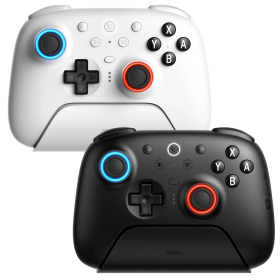
8BitDo Ultimate 2 Bluetooth Controller (Switch, PC)
TMR joysticks with RGB Fire Ring
Switchable Hall Effect triggers
Bluetooth, 2.4 GHz and USB
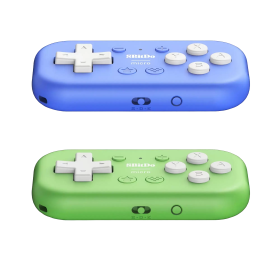
8BitDo Micro Bluetooth Gamepad (Switch, Android)
Ultra-compact 16-button pad
Switch and Android support
Keyboard mode for apps and shortcuts
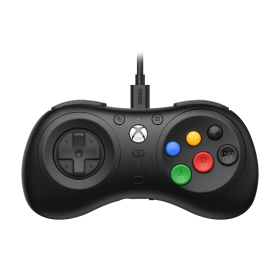
8BitDo M30 Wired Controller (Xbox, PC)
Mega Drive-inspired six-button layout
Official Xbox licence
Layout switching and custom profiles
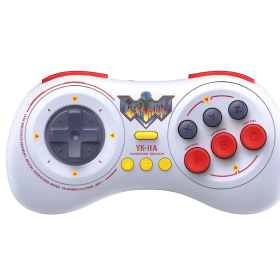
8BitDo M30 Earthion Edition (Switch, PC, Android)
Earthion special design with Mega Drive vibes
Six face buttons and precise D-pad
Bluetooth and USB-C
8BitDo Ultimate 3E Controller Gray (Xbox, PC, Android, iOS)
Swappable ABXY modules, D-pads and joystick caps
TMR joysticks, Hall triggers and additional buttons
2.4 GHz or USB on Xbox and Windows; mobile Bluetooth
1400 mAh battery, charging dock and accessory pack included
8BitDo Ultimate 3 Controller (Xbox, PC, Android, iOS)
Officially licensed for Xbox Series X|S and Xbox One
2.4 GHz/USB for Xbox and Windows; Bluetooth for Android and Apple
Adjustable-tension TMR sticks and two-stop Hall triggers
Charging dock included; up to 20 hours battery life
8BitDo Ultimate Wired Hall Controller (Xbox, PC)
Hall Effect sticks and triggers
Official Xbox licence
Back paddles, profiles and headset jack
8BitDo Ultimate Mobile Xbox Edition (Android, iOS)
Designed for Xbox cloud gaming
Bluetooth and adjustable phone holder
Hall sticks, triggers and back paddles
8BitDo Ultimate Mobile Gaming Controller (Android, iOS)
Bluetooth gamepad with telescopic phone grip
Hall sticks and triggers
Two rear paddles and app customization
8BitDo Ultimate Mini Wired Controller (Xbox, PC)
Around 20 percent smaller than Ultimate C
Hall sticks and triggers
RGB lighting and Xbox licence
8BitDo Ultimate C Wired Controller (Xbox, PC)
Hall Effect sticks and triggers
Official Xbox licence
RGB Fire Rings and headset jack
8BitDo Ultimate 2C Bluetooth Controller (Switch)
Hall Effect sticks
Directly remappable R4/L4 bumpers
Bluetooth, USB and Switch motion controls
8BitDo Ultimate 2 Bluetooth Controller (Switch, PC)
TMR joysticks with RGB Fire Ring
Switchable Hall Effect triggers
Bluetooth, 2.4 GHz and USB
8BitDo Micro Bluetooth Gamepad (Switch, Android)
Ultra-compact 16-button pad
Switch and Android support
Keyboard mode for apps and shortcuts
8BitDo M30 Wired Controller (Xbox, PC)
Mega Drive-inspired six-button layout
Official Xbox licence
Layout switching and custom profiles
8BitDo M30 Earthion Edition (Switch, PC, Android)
Earthion special design with Mega Drive vibes
Six face buttons and precise D-pad
Bluetooth and USB-C