

GPD accessories
This section contains accessories for GPD handhelds and UMPCs: carrying cases, docking stations, grips, styluses, and LTE, KVM or RS232 modules.
Most accessories fit only particular model years or case versions. Compare the full device name with the product description, especially for Win Mini, Win Max, Pocket and MicroPC.
There are 17 products.
GPD Win Mini Carry Case (pre-2025er edition)
GPD Pocket 4 KVM (Capture)-Module
GPD Pocket 4 RS-232 Module
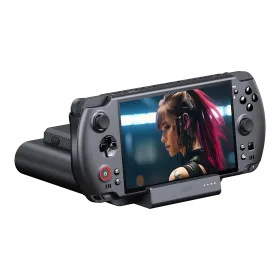
GPD Win 5 Dock
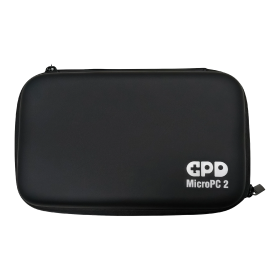
GPD MicroPC 2 - Official Carry Case
Hard EVA shell: rigid, shock-absorbing protection
Precision fit for the GPD Micro PC 2 (device only, no charger included)
Official Micro PC 2 imprint on the case
Soft interior lining prevents scratches
All-around zipper for secure closure
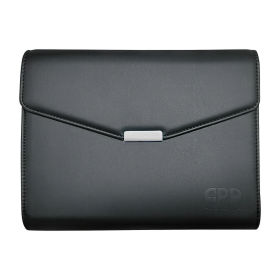
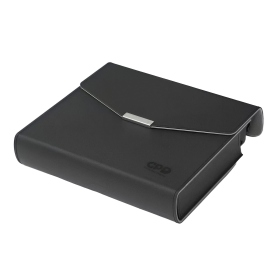
GPD Pocket 3 / 4 - Official Carry Case
Official GPD accessory, tailored for GPD Pocket 4 (also compatible with Pocket 3)
Faux leather exterior with soft inner lining
Magnetic closure for quick and secure access
Stylus pocket included (note: GPD stylus is too long to close case fully)
Slim, lightweight design – no unnecessary bulk
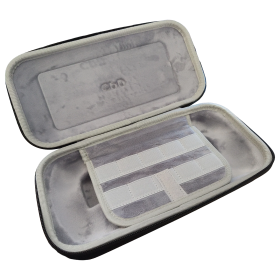
GPD Win 5 - Official Carry Case
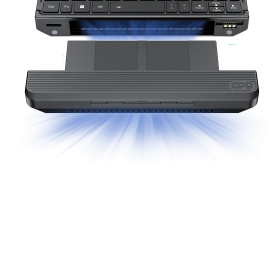
GPD WIN Max 3 - External Fan Module
Designed specifically for the GPD WIN Max 3
Magnetic modular attachment
Additional cooling for mains-powered use
Used instead of the battery module
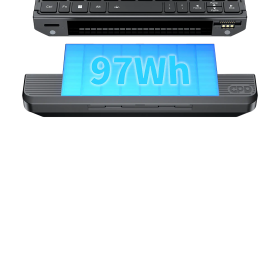
GPD WIN Max 3 - Replacement Battery 97Wh
Original removable battery module for WIN Max 3
Magnetic attachment, no opening the computer
Useful as a replacement or spare
One battery module is already included with the WIN Max 3
GPD WIN Max 3 - Carry Case
Designed for the GPD WIN Max 3
Black fabric case with soft inner lining
Lightweight, practical everyday protection
Soft case, not a rigid hard shell
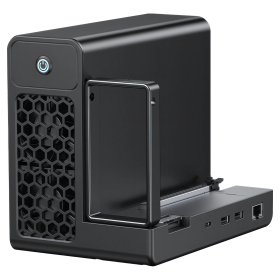
GPD G2 eGPU Dock (without GPU)
The GPD G2 turns a compatible mini PC or gaming handheld into a flexible external desktop GPU setup with extra connectivity.
MCIO 8i and USB4 v2.0 expansion
Built-in 800W Gold-rated power supply
Additional USB, Ethernet and M.2 storage
Graphics card not included
Frequently asked questions
Practical answers about compatibility, features and how things work.
What is the difference between USB4, Thunderbolt, OCuLink and MCIO for external graphics on GPD devices?
An external GPU (eGPU) can add graphics performance to a compact PC. Which connection works depends on the actual ports on both the GPD computer and the graphics dock.
- USB4 / Thunderbolt: Carries PCIe traffic through a compatible USB-C port. This flexible connection can also support displays and docking features. Not every USB-C port supports USB4 or eGPUs. Available bandwidth depends on the specific port generation and device.
- OCuLink: A more direct PCIe connection, for example PCIe 4.0 ×4. With suitable hardware it often has less protocol overhead than USB4, but does not provide general-purpose USB docking. OCuLink is generally not intended to be connected or disconnected while the system is running; power devices down first.
- MCIO 8i: A newer connector for higher-bandwidth PCIe devices. It is used by the GPD G2 and GPD BOX, among others. It is not interchangeable with an OCuLink plug; the correct port and cable are required.
The GPD G1 already contains a Radeon GPU and offers OCuLink and USB4. The GPD G2 is an eGPU enclosure/dock without a graphics card included, featuring USB4 v2.0 and MCIO 8i.
Before buying: Check your exact GPD model generation, ports, cables, power supply, graphics card and drivers. A physically matching USB-C connector alone does not guarantee eGPU compatibility.
What is the difference between GPD G1 and GPD G2? Is a graphics card included?
The names are similar, but the two products use different concepts.
- GPD G1: A compact ready-to-use eGPU dock with a built-in AMD Radeon RX 7600M XT and 8 GB of graphics memory. A compatible GPD PC can use it through USB4 or OCuLink. The graphics card is already included.
- GPD G2: An eGPU enclosure with no graphics card included. You must supply a suitable desktop GPU separately. The G2 has a PCIe slot and offers USB4 v2.0 and MCIO 8i for compatible hosts. It is not simply a newer dock with a GPU already fitted.
Connection warning: G1s OCuLink and G2s MCIO 8i are not interchangeable. eGPUs can also operate through a suitable USB4/Thunderbolt connection without those special ports, provided both devices support it.
For the G2, check the graphics cards physical size, power connectors, power draw and drivers, as well as your GPD PCs operating system and connectivity.
Official specifications: GPD G1 technical specifications and GPD G2 technical specifications.