





New
GBA Overclocker

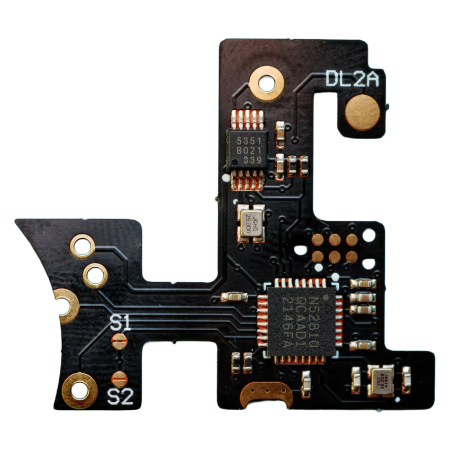
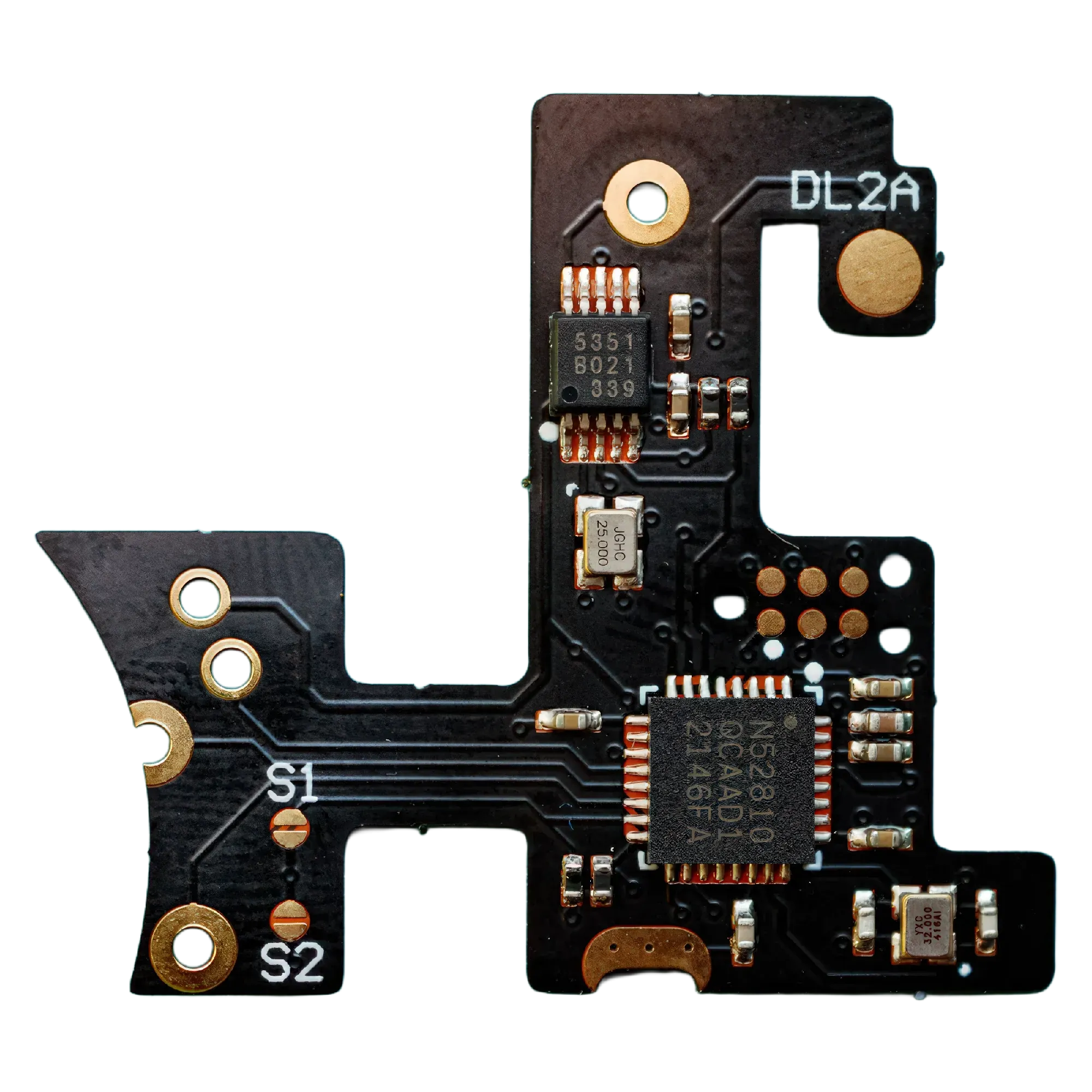
The Game Boy Advance Overclocker Flex by robot_retro replaces the original GBA crystal and gives you full control over your GBA's clock speed – from a relaxed 30 % all the way up to 170 % of the base clock.
- 6 speed settings: 30 %, 50 %, 75 %, 130 %, 150 %, 170 % of base clock
- Largely wire-free flex installation (optional LED wire only)
- Ultra-low power draw <15 mA
- Accurate base clock: 4.194 MHz, >0.01 % precise
- DIY install requires soldering skills – install at your own risk
Game Boy Advance Overclocker Flex – Full Control Over Your GBA Clock Speed
Want to speed-breed Pokémon faster, eliminate slowdowns in Castlevania, or just see what a GBA feels like at 170 % clock speed? The Overclocker Flex by robot_retro makes it happen. It replaces the original crystal on the GBA mainboard and gives you access to six different clock speeds at the press of a button – developed in collaboration with RJS FPGA.
Features at a Glance
- 6 clock speed settings: 30 %, 50 %, 75 % (underclock) and 130 %, 150 %, 170 % (overclock) of the original 4.194 MHz base clock
- Change speed: Start + Up = faster | Start + Right = slower
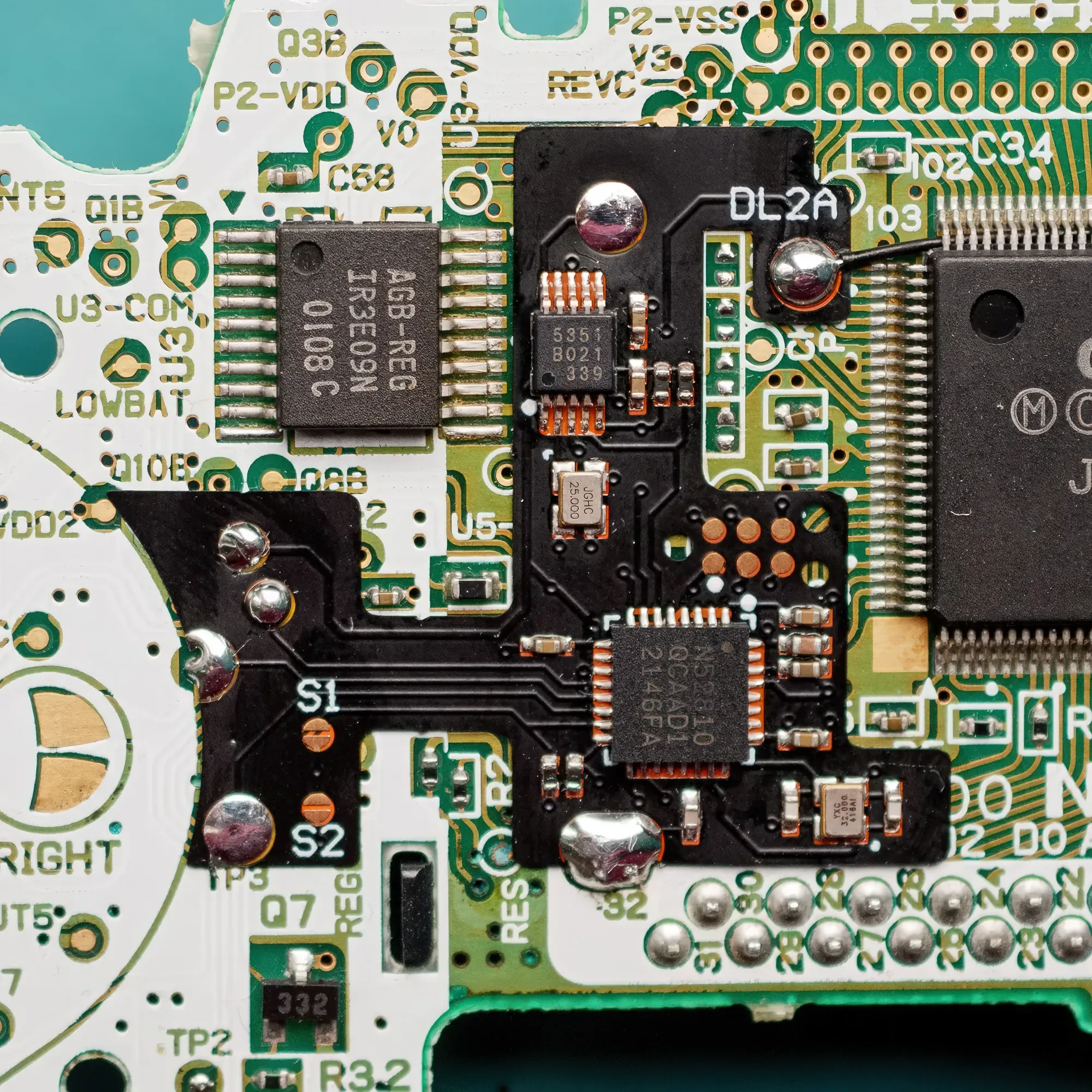
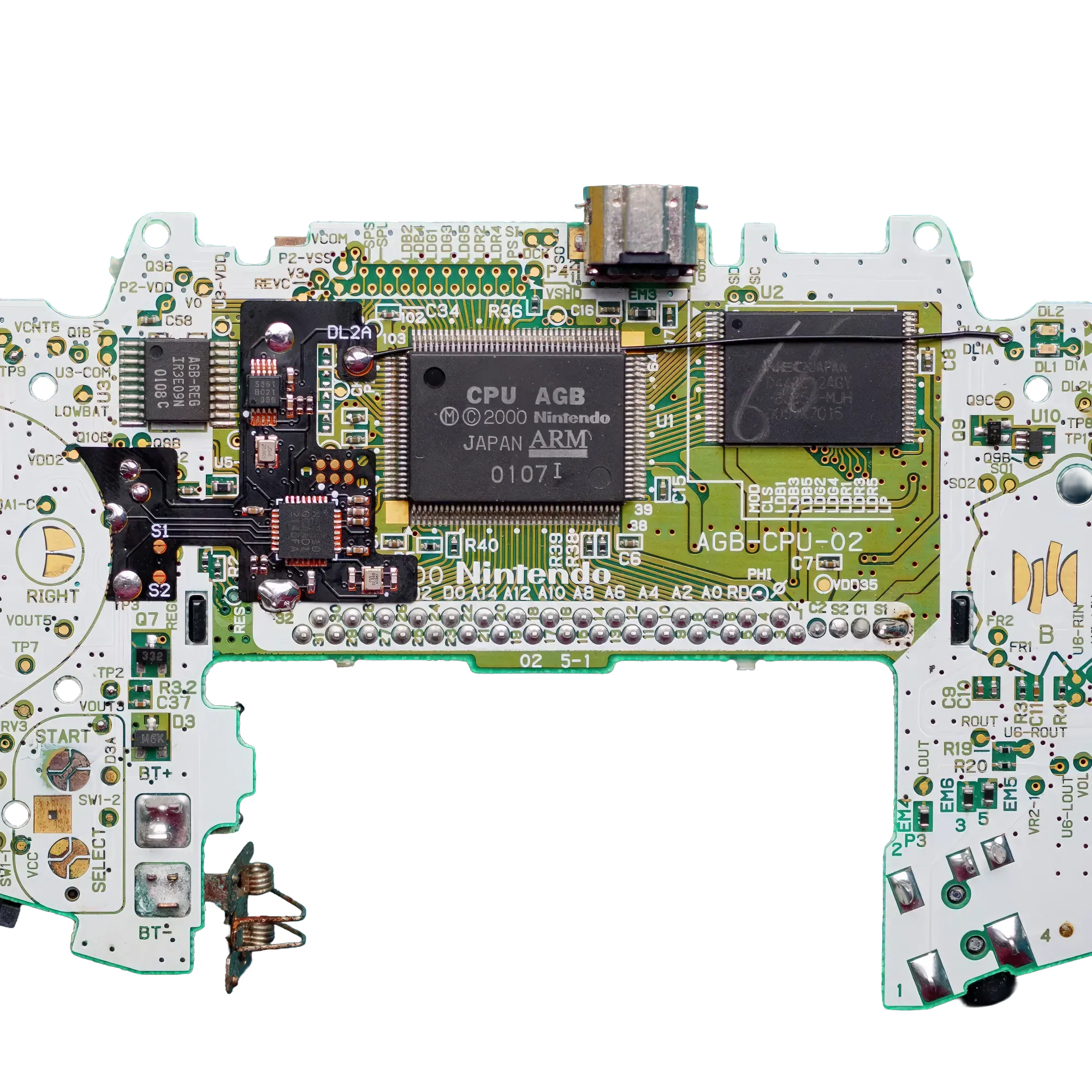
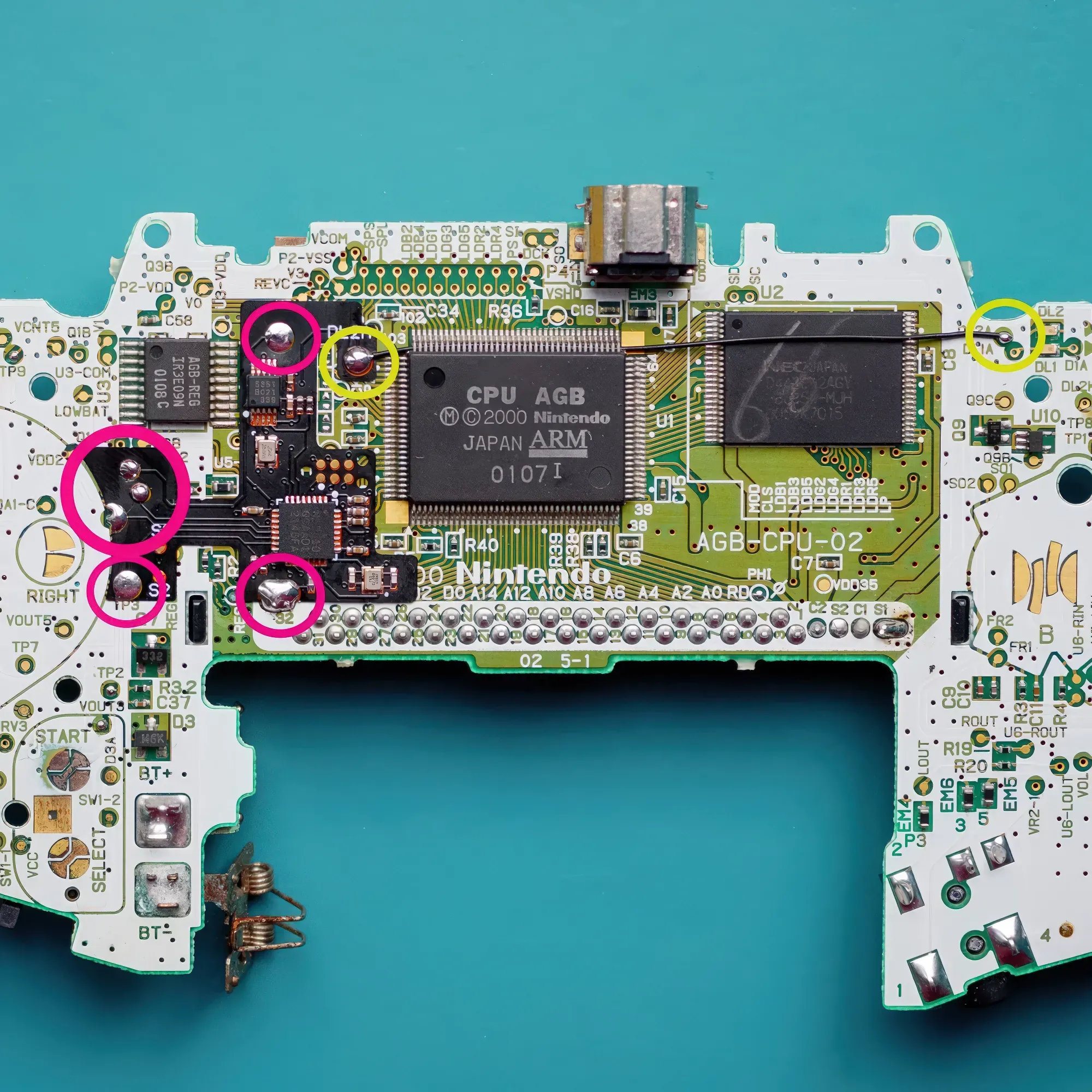
- Flex PCB design: No manual wiring required (exception: optional LED indicator wire to test point DL2A)
- LED feedback (optional): Power LED blinks faster when overclocked, slower when underclocked – base clock = solid green
- Ultra-low power draw: <15 mA (measured with Nordic Power Profiler Kit II)
- Highly accurate base clock: 4.194 MHz at >0.01 % accuracy – no difference to the original crystal at stock speeds
Maximum Speed & IPS Compatibility
Depending on your installed display, you may need to limit the maximum speed via solder jumper to avoid screen glitches:
| Display | Max. Speed | Setting |
| Stock LCD / FunnyPlaying v2 / Hispeedido v2 (non-laminated) | 170 % | Default (no jumper) |
| Hispeedido Laminated v5 | 150 % | Bridge solder jumper S1 |
| FunnyPlaying 3.0" Laminated | 130 % | Bridge solder jumper S2 |
Installation – What to Expect
The install is comparatively straightforward for an overclocker mod, but not suitable for beginners without soldering experience. You will need at least basic soldering skills and ideally a hot air station to remove the original GBA crystal.
- Remove the original GBA crystal (hot air station recommended)
- Place the flex mod and solder 6 points (flux recommended)
- Optional: Run a wire to test point DL2A for the LED indicator
⚠ Note: This overclocker must be self-installed. We accept no liability for improper installation. If in doubt, please consult an experienced modder.
Strengths & Limitations
- ✅ No cable clutter thanks to flex PCB design
- ✅ Identical to the original crystal at stock speeds – zero drawback in everyday use
- ✅ Compatible with popular IPS mods (with correct speed limiting)
- ⚠ Not all games handle maximum overclocking – some may run unstably
- ⚠ Flash carts and reproduction cartridges only work at base clock speed – no overclocking possible
- ⚠ Installation requires soldering skills and hot air equipment

- for brand
- Nintendo
- WEEE
- 23582226
Manufacturer
chat
Comments (0)