



|
This item has been sold |
| 117 | |
| times |


8BitDo Arcade Stick (Switch, PC, Android, Raspberry Pi)

The 8BitDo 80FE Arcade Stick combines wireless freedom with serious modding potential for retro and modern gaming enthusiasts.
- Connect via Bluetooth, 2.4GHz wireless, or USB-C cable
- Compatible with PC, Nintendo Switch, Android, and Raspberry Pi
- Ultra-moddable design supports Sanwa, Seimitsu, Happy & IL parts
- 40-hour battery life with 1000mAh rechargeable battery
- Customizable button mapping with macro support
- Quick-toggle switch between D-pad, left stick, and right stick modes
Your gateway to arcade perfection, whether you're playing retro classics or modern fighters
The 8BitDo 80FE Arcade Stick is designed for gamers who demand both flexibility and authenticity. Whether you're battling it out in Street Fighter, reliving arcade classics, or exploring indie fighting games, this arcade stick delivers the precision and customization you need. What sets it apart from the competition? Its incredible modding capabilities combined with wireless freedom and broad compatibility across multiple platforms.
Connect Your Way
You get three connection options to match your gaming setup perfectly. Use Bluetooth for a clean wireless experience, plug in the included 2.4GHz receiver for lag-free wireless gaming, or connect via USB-C cable when you want a direct wired connection. This flexibility means you can use the same arcade stick with your PC, Nintendo Switch, Android devices, or even Raspberry Pi retro gaming setups. Switch between modes instantly and keep gaming across all your favorite platforms.
Built for Serious Modding
Here's where the 80FE truly shines: it's incredibly modding-friendly right out of the box. The universal mounting plate accepts arcade sticks and buttons from industry-leading manufacturers like Sanwa, Seimitsu, Happy, and IL. Whether you want to upgrade to tournament-grade components or simply replace worn parts in the future, you'll have no trouble finding compatible parts. The case opens easily without special tools, making modifications straightforward even for beginners. Customize your stick to match your exact preferences and playing style.
Smart Features for Modern Gaming
The 80FE packs impressive functionality beyond the standard eight face buttons. You get two dedicated macro buttons (P1/P2) that you can program using 8BitDo's Ultimate Software to create complex button combinations. Need your stick input recognized as an analog stick instead of a D-pad? Just flip the quick-toggle switch to route it as D-pad, left analog stick, or right analog stick. The built-in turbo functionality gives you rapid-fire capability when you need it. For Nintendo Switch players, there are dedicated Home and Screenshot buttons built right in. The mode switch lets you instantly toggle between Switch mode and X-input for PC gaming.
Marathon Gaming Sessions
The 1000mAh rechargeable battery delivers up to 40 hours of continuous gameplay on a single charge. That's more than enough for even your longest gaming marathons or tournament sessions. When you do need to recharge, simply plug in the included USB-C cable and keep playing in wired mode while it charges.
Features:
• Support Ultimate Software - customize button mapping and create macros
• Ultra-moddable Arcade Stick - Universal mounting plate supports Sanwa, Seimitsu, Happy & IL Arcade Sticks
• Wireless Bluetooth Support
• 2.4g support with included wireless 2.4g receiver
• Wired support with included USB-C cable
• Quick Toggle switch for: D-pad/Left Analog Stick/Right Analog Stick
• 2 Dedicated macro buttons (P1/P2)
• 1000mAh rechargeable battery
• Dedicated Home and Screenshot buttons for Switch
• Mode switch for instant Switch & x-input
• Turbo Functionality

- System
- Nintendo Switch
Nintendo Switch 2
Windows PC - Controller type
- Joystick
- Ports
- USB3-C
- Battery category
- Secondary, 1-50g
- WEEE registration number
- 23582226
- Battery weight (g)
- 20
- Battery capacity (mAh)
- 1000
- Connection type
- 2.4 GHz wireless
Bluetooth
Wired - Number of analog sticks
- 0
- Connection compatibility
- 2.4 GHz wireless
Bluetooth
Wired USB - Stick technology
- Arcade joystick
- Trigger technology
- Digital
- Controller layout
- Arcade stick
- Motion control
- No
- Vibration
- No
- 3.5 mm audio
- No
- Extra/back buttons
- 2 macro buttons P1/P2
Joystick/gamepad mode
Turbo - Remapping/software
- Ultimate Software V1
- Charging dock included
- No
- Input modes (USB)
- Switch mode
XInput - Input modes (Bluetooth)
- Switch mode
XInput - Input modes (2.4 GHz)
- Switch mode
XInput - Input mode switching
- Mode switches: S = Switch mode, X = XInput (Windows). Both via USB, Bluetooth or bundled 2.4G receiver. On Switch via USB/2.4G, enable Pro Controller Wired Communication. No dedicated DInput mode documented.
Practical answers about compatibility, features and how things work.
What input modes are available: XInput, DInput, Switch and PlayStation?
XInput is the best choice for most PC gamers. This widely supported input mode follows the Xbox controller layout and is recognized directly by many modern Windows games. For most users, that is all they need. However, XInput support does not automatically mean a controller works on a real Xbox console.
DInput (DirectInput) is the older Windows standard. Some older PC games, such as Crimson Skies or Need for Speed: Underground 2, support DirectInput but not native XInput.
An additional DInput or generic USB HID mode can also be useful for retro gaming systems, FPGA devices, emulators and other specialized setups. Some devices support Xbox-compatible controllers, while others expect a standard USB HID gamepad. Which input modes work depends on the specific device and its software.
For example, MiSTer FPGA supports many USB controllers as well as Xbox-compatible input devices. Depending on the core, different button mappings or special input features may be required. DInput itself is therefore not a general requirement on MiSTer.
If you plan to use your controller with retro or FPGA systems, check which input modes are supported beforehand. A controller with several selectable modes offers more flexibility.
Switch mode makes the controller appear to compatible devices as a Nintendo Switch Pro Controller. It can be useful beyond the Switch: Steam Input, Linux and various applications can also support these controllers. However, not every PC game will recognize this mode automatically.
PlayStation mode can refer to different compatibility modes depending on the controller, such as PS4 controller or PlayStation Classic modes. There is no single universal PlayStation mode. Compatibility with a particular PlayStation console must be explicitly confirmed for the product.
Connection type matters: Not every input mode is available over every connection. Some controllers support DInput only via a USB cable, while others also offer it through a 2.4 GHz receiver or Bluetooth.
That is why our technical specifications list confirmed input modes separately for USB, 2.4 GHz and Bluetooth.
What is the difference between 2.4 GHz wireless and Bluetooth controllers?
Both types of connection are wireless and use the 2.4 GHz frequency band. The difference is the transmission technology: Bluetooth is a widely used standard, whereas “2.4 GHz wireless” usually refers to a manufacturer's own radio link with a matching receiver.
Bluetooth: flexible and widely compatible
Many PCs, gaming handhelds, smartphones, tablets and consoles support Bluetooth controllers. If the controller is compatible with the device, you usually pair it once through the Bluetooth settings. After that, it will normally reconnect automatically.
No additional receiver is needed, leaving a USB port free.
However, not every Bluetooth-enabled device supports every Bluetooth controller. Game consoles in particular may require certain controller models or input modes.
2.4 GHz wireless: plug in and play
Controllers using 2.4 GHz wireless usually come with a matching USB receiver (dongle). Plug it in and switch the controller on. The two are often paired already.
This offers several advantages:
- No Bluetooth menu or Bluetooth manager setup is needed.
- It also works with compatible devices that have no built-in Bluetooth.
- Many systems recognize the receiver as a regular USB controller.
- That can be particularly useful for PCs, retro systems and other devices with USB ports.
The device must still support the particular receiver and its input mode. Not every dongle automatically works with every system. Some retro controllers also use dedicated receivers for particular consoles.
What about speed?
Many 2.4 GHz controllers offer high polling rates and low, consistent latency. Modern Bluetooth controllers can also be very fast, however. Actual performance depends on the specific controller and connection.
Which connection should I choose?
Bluetooth is especially useful if you want to use a controller with different compatible devices without carrying an extra receiver.
2.4 GHz wireless is often a good choice if you want a straightforward setup, prefer a responsive connection, or use a device without Bluetooth.
Check the product's technical specifications to see which connections and systems it supports.
What do polling rate and latency mean for a controller?
Polling rate and latency both affect how quickly a controller responds to your inputs, but they describe two different things.
What is polling rate?
Polling rate describes how often the controller or its connection reports or requests new input data from the system.
It is measured in hertz (Hz).
| Polling rate | Reporting interval |
|---|---|
| 125 Hz | 8 milliseconds |
| 250 Hz | 4 milliseconds |
| 500 Hz | 2 milliseconds |
| 1,000 Hz | 1 millisecond |
The higher the polling rate, the shorter the interval between input reports can be.
A high polling rate can therefore be useful in fast-paced games. The connected system must also support the relevant reporting rate.
What is latency?
Latency is the delay between an action on the controller and the moment the system registers that input.
Several factors contribute to this delay:
- How quickly the controller detects and processes the button press.
- How long transmission via cable, Bluetooth or 2.4 GHz wireless takes.
- How quickly the connected system processes the input.
Before the action becomes visible on the screen, the game and display introduce additional processing delays.
Does a 1,000 Hz polling rate automatically mean 1 ms of latency?
No. At 1,000 Hz, only the reporting interval is one millisecond. The total input delay can be considerably higher.
In practice, a well-optimized controller running at 500 Hz can therefore respond faster than a poorly optimized controller running at 1,000 Hz.
Which values matter?
For most games, consistently low latency matters more than the highest possible polling rate.
Low delays can be especially beneficial for fast action games, shooters and competitive games. In retro games, processing by emulators, consoles or FPGA systems and the display also matter.
Our tip: A high polling rate is an interesting technical specification, but does not by itself prove that a controller is fast. Measurements of real-world latency under comparable conditions are more meaningful.
Manufacturer
EU responsible person


- chevron_left
- 1
- chevron_right


Nintendo Switch Power Bay Ethernet Adapter (Docking Station)


AmigaOS 3.2 – Das Handbuch (German)


Immortal Joysticks DB-9 to USB-Adapter (Joystick 9-Pin) (PCB Only)
Connects standard DB-9 Atari and MSX joysticks to USB devices
Works perfectly with A500 Mini, Spectrum, Windows, Mac, Linux and more
Features integrated Home button for easy navigation
Preserves authentic autofire functionality at full speed
Available as PCB board or with 3D printed case
USB-C output for modern connectivity

Wingman FGC Retro
Connect wired PS1/PS2 controllers to PS4, PS5, and PC
Works with dance mats, Taiko drums, flight sticks, and all PS1/PS2 peripherals
Zero-lag tournament-grade performance for competitive play
Advanced customization via Brook Converter Center software
Turbo, macro functions, and button remapping included
Touchpad simulation for full PS4/PS5 compatibility


PlayStation Coffee Mug
Official PlayStation merchandise featuring classic button symbols
Perfect 0.3 L capacity for coffee, tea, or any hot beverage
High-quality ceramic construction built for daily use
Ideal gift for PlayStation fans and collectors
Features the legendary triangle, circle, X, and square icons


Amiga Future Issue 179, incl. Cover-CD (German / English)
Full-color magazine available in German and English
Comprehensive coverage: reviews, interviews, previews, and workshops
Includes cover CD loaded with software, demos, and tools for all Amiga systems
Features special articles on Amiga gaming evolution and 40 Years Amiga series
Perfect for collectors, retro gaming enthusiasts, and active Amiga users
Published March 2026 with fresh content for the Amiga community

Chromatic Carry Case
Water Resistant Hard shell construction with 900D nylon exterior
Soft microfiber lining protects against scratches
Magnetic cartridge flap with molded details and collectible charm
Premium zipper and compact form factor
Designed exclusively for the ModRetro Chromatic


Anbernic RG G01 Controller (incl. Smartphone Holder)
Platforms: PC / Steam / Linux / Switch / Switch 2 / Android / iOS
Connection: Bluetooth 5.0 / 2.4GHz wireless / Wired (USB-C)
Polling rate: 1000Hz (wired & 2.4GHz)
Battery: 2100mAh – up to 21 hours playtime
Colors: White / Yellow / Black
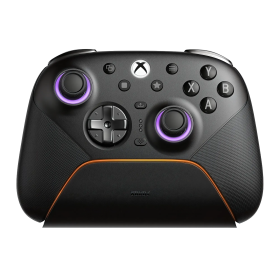
8BitDo Ultimate 3E Controller Gray (Xbox, PC, Android, iOS)
Swappable ABXY modules, D-pads and joystick caps
TMR joysticks, Hall triggers and additional buttons
2.4 GHz or USB on Xbox and Windows; mobile Bluetooth
1400 mAh battery, charging dock and accessory pack included
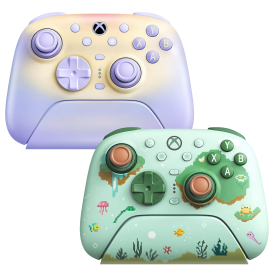
8BitDo Ultimate 3 Controller (Xbox, PC, Android, iOS)
Officially licensed for Xbox Series X|S and Xbox One
2.4 GHz/USB for Xbox and Windows; Bluetooth for Android and Apple
Adjustable-tension TMR sticks and two-stop Hall triggers
Charging dock included; up to 20 hours battery life
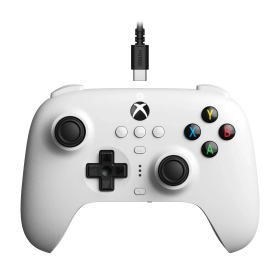
8BitDo Ultimate Wired Hall Controller (Xbox, PC)
Hall Effect sticks and triggers
Official Xbox licence
Back paddles, profiles and headset jack
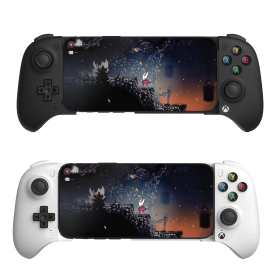
8BitDo Ultimate Mobile Xbox Edition (Android, iOS)
Designed for Xbox cloud gaming
Bluetooth and adjustable phone holder
Hall sticks, triggers and back paddles
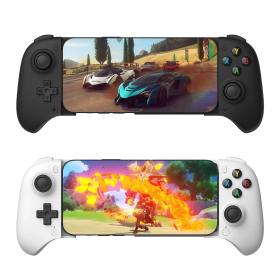
8BitDo Ultimate Mobile Gaming Controller (Android, iOS)
Bluetooth gamepad with telescopic phone grip
Hall sticks and triggers
Two rear paddles and app customization
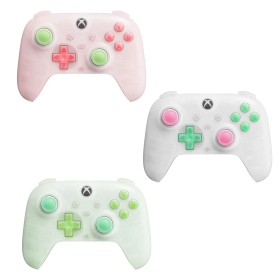
8BitDo Ultimate Mini Wired Controller (Xbox, PC)
Around 20 percent smaller than Ultimate C
Hall sticks and triggers
RGB lighting and Xbox licence
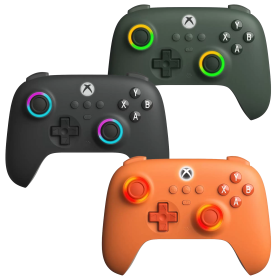
8BitDo Ultimate C Wired Controller (Xbox, PC)
Hall Effect sticks and triggers
Official Xbox licence
RGB Fire Rings and headset jack
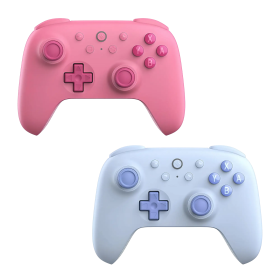
8BitDo Ultimate 2C Bluetooth Controller (Switch)
Hall Effect sticks
Directly remappable R4/L4 bumpers
Bluetooth, USB and Switch motion controls
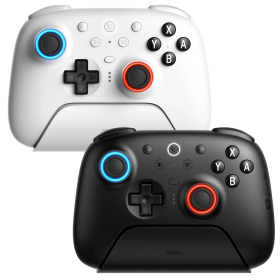
8BitDo Ultimate 2 Bluetooth Controller (Switch, PC)
TMR joysticks with RGB Fire Ring
Switchable Hall Effect triggers
Bluetooth, 2.4 GHz and USB
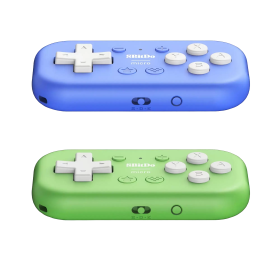
8BitDo Micro Bluetooth Gamepad (Switch, Android)
Ultra-compact 16-button pad
Switch and Android support
Keyboard mode for apps and shortcuts
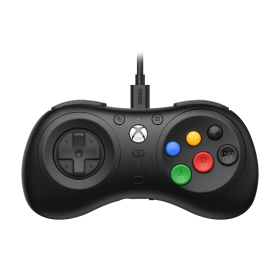
8BitDo M30 Wired Controller (Xbox, PC)
Mega Drive-inspired six-button layout
Official Xbox licence
Layout switching and custom profiles
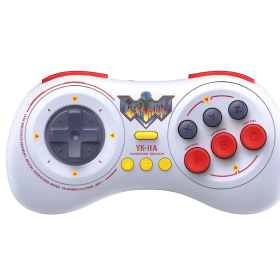
8BitDo M30 Earthion Edition (Switch, PC, Android)
Earthion special design with Mega Drive vibes
Six face buttons and precise D-pad
Bluetooth and USB-C
8BitDo Ultimate 3E Controller Gray (Xbox, PC, Android, iOS)
Swappable ABXY modules, D-pads and joystick caps
TMR joysticks, Hall triggers and additional buttons
2.4 GHz or USB on Xbox and Windows; mobile Bluetooth
1400 mAh battery, charging dock and accessory pack included
8BitDo Ultimate 3 Controller (Xbox, PC, Android, iOS)
Officially licensed for Xbox Series X|S and Xbox One
2.4 GHz/USB for Xbox and Windows; Bluetooth for Android and Apple
Adjustable-tension TMR sticks and two-stop Hall triggers
Charging dock included; up to 20 hours battery life
8BitDo Ultimate Wired Hall Controller (Xbox, PC)
Hall Effect sticks and triggers
Official Xbox licence
Back paddles, profiles and headset jack
8BitDo Ultimate Mobile Xbox Edition (Android, iOS)
Designed for Xbox cloud gaming
Bluetooth and adjustable phone holder
Hall sticks, triggers and back paddles
8BitDo Ultimate Mobile Gaming Controller (Android, iOS)
Bluetooth gamepad with telescopic phone grip
Hall sticks and triggers
Two rear paddles and app customization
8BitDo Ultimate Mini Wired Controller (Xbox, PC)
Around 20 percent smaller than Ultimate C
Hall sticks and triggers
RGB lighting and Xbox licence
8BitDo Ultimate C Wired Controller (Xbox, PC)
Hall Effect sticks and triggers
Official Xbox licence
RGB Fire Rings and headset jack
8BitDo Ultimate 2C Bluetooth Controller (Switch)
Hall Effect sticks
Directly remappable R4/L4 bumpers
Bluetooth, USB and Switch motion controls
8BitDo Ultimate 2 Bluetooth Controller (Switch, PC)
TMR joysticks with RGB Fire Ring
Switchable Hall Effect triggers
Bluetooth, 2.4 GHz and USB
8BitDo Micro Bluetooth Gamepad (Switch, Android)
Ultra-compact 16-button pad
Switch and Android support
Keyboard mode for apps and shortcuts
8BitDo M30 Wired Controller (Xbox, PC)
Mega Drive-inspired six-button layout
Official Xbox licence
Layout switching and custom profiles
8BitDo M30 Earthion Edition (Switch, PC, Android)
Earthion special design with Mega Drive vibes
Six face buttons and precise D-pad
Bluetooth and USB-C