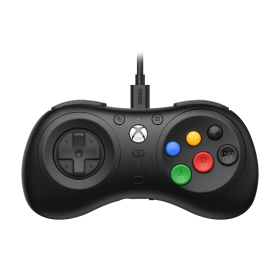
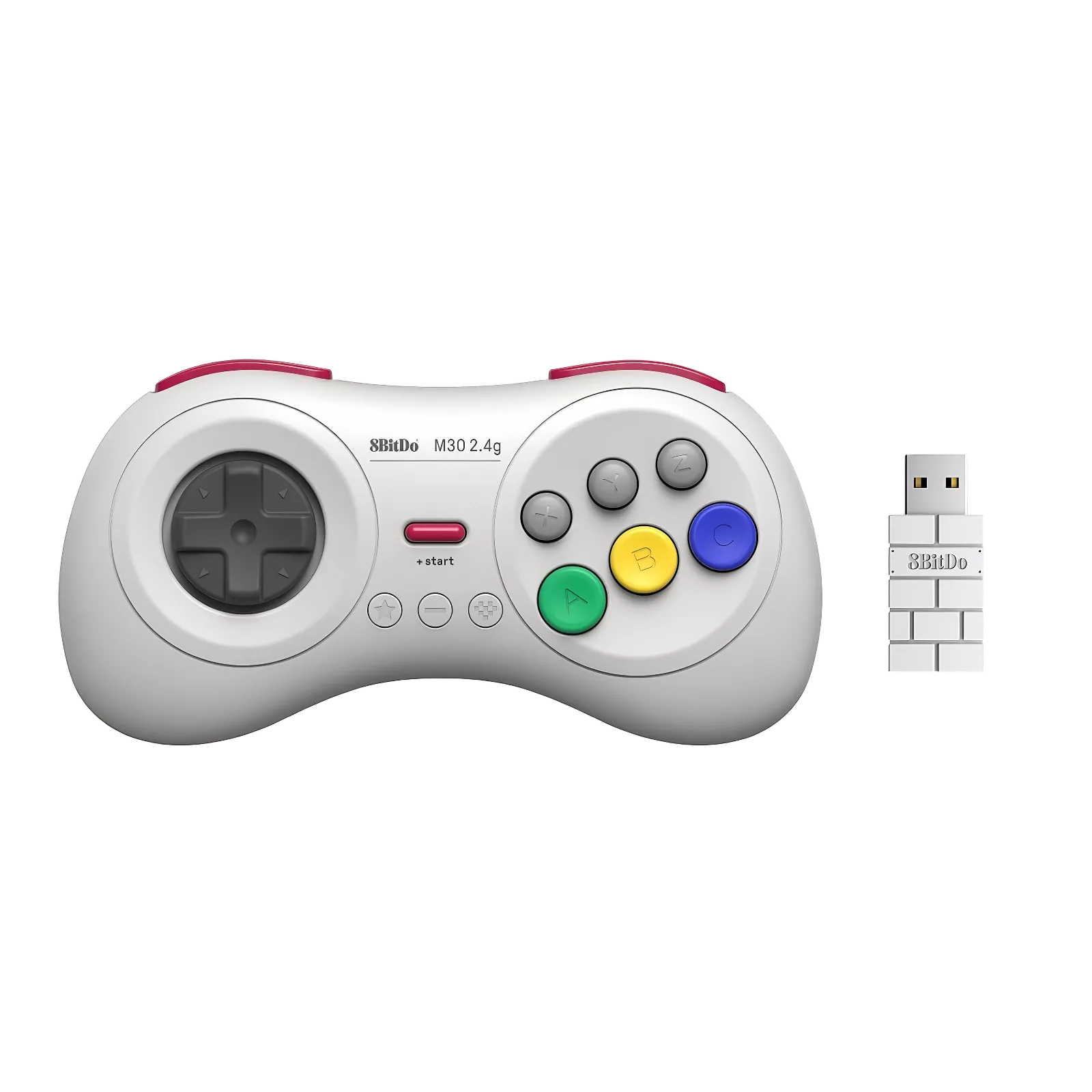


8bitdo M30 2.4G Wireless Controller - White
zoom_out_map
Sold items

This item has been sold

37
times
8bitdo M30 2.4G Wireless Controller - White
8bitdo M30 2.4G Wireless Controller - White 8bitdo M30 2.4G Wireless Controller - White 8bitdo M30 2.4G Wireless Controller - White 8bitdo M30 2.4G Wireless Controller - White

8BitDo M30 2.4G White (MegaDrive Mini, Switch, PC)

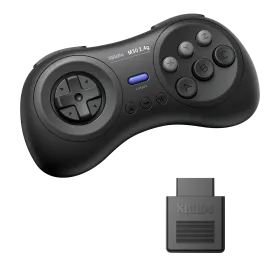
Experience the classic 6-button layout of the Sega Genesis era with this wireless controller that works flawlessly with your MegaDrive Mini, Nintendo Switch, and PC.

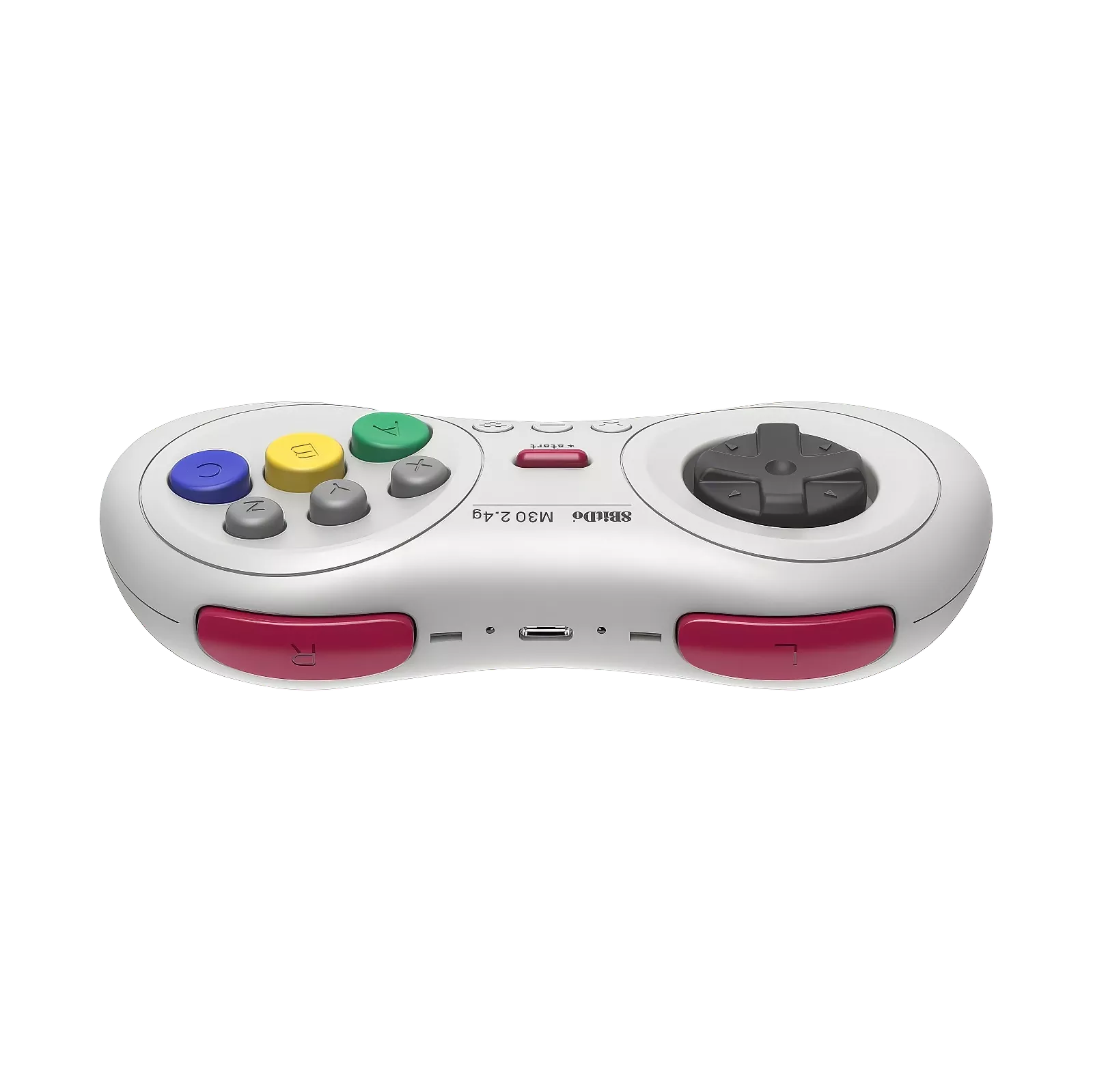
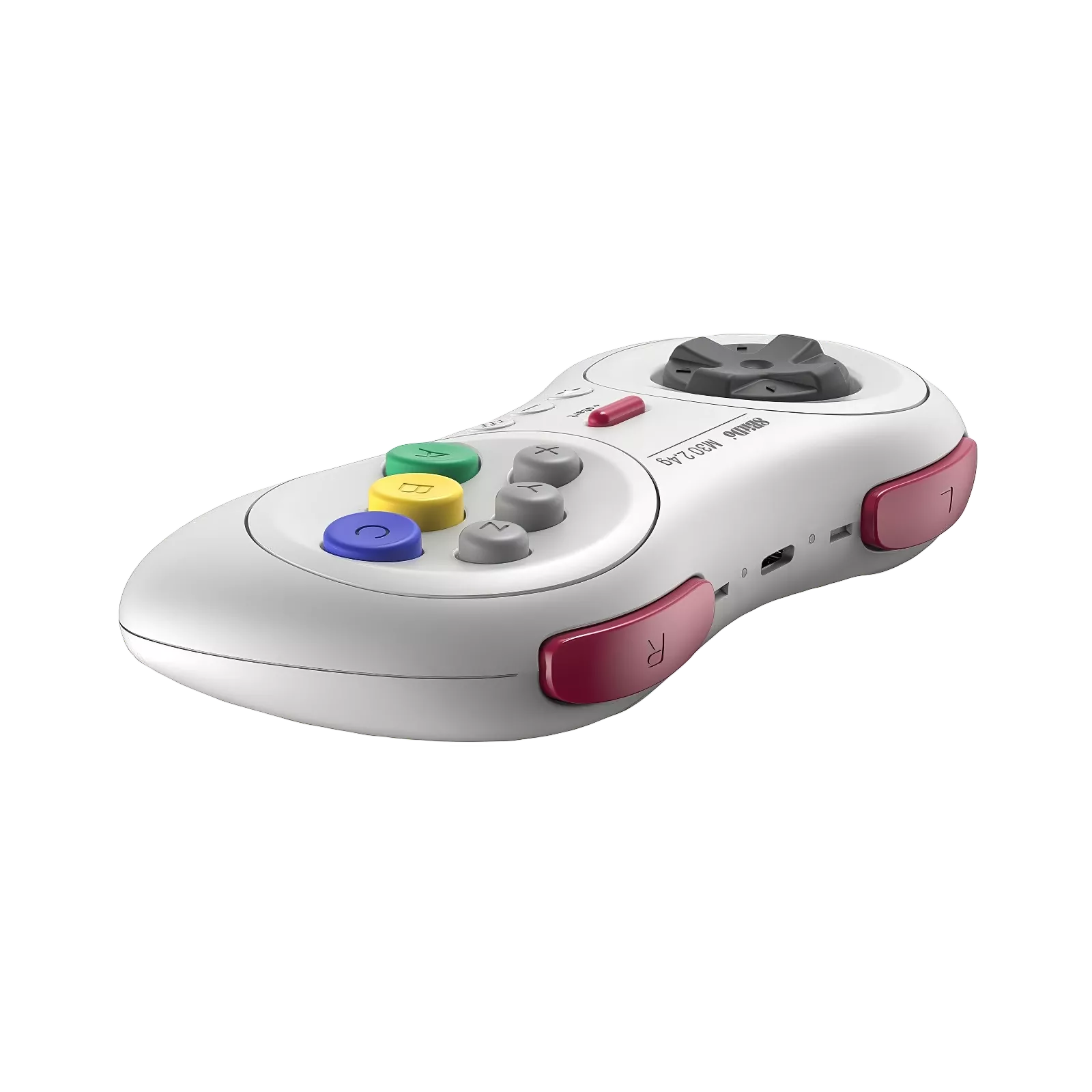
  • Authentic 6-button Genesis/MegaDrive controller layout
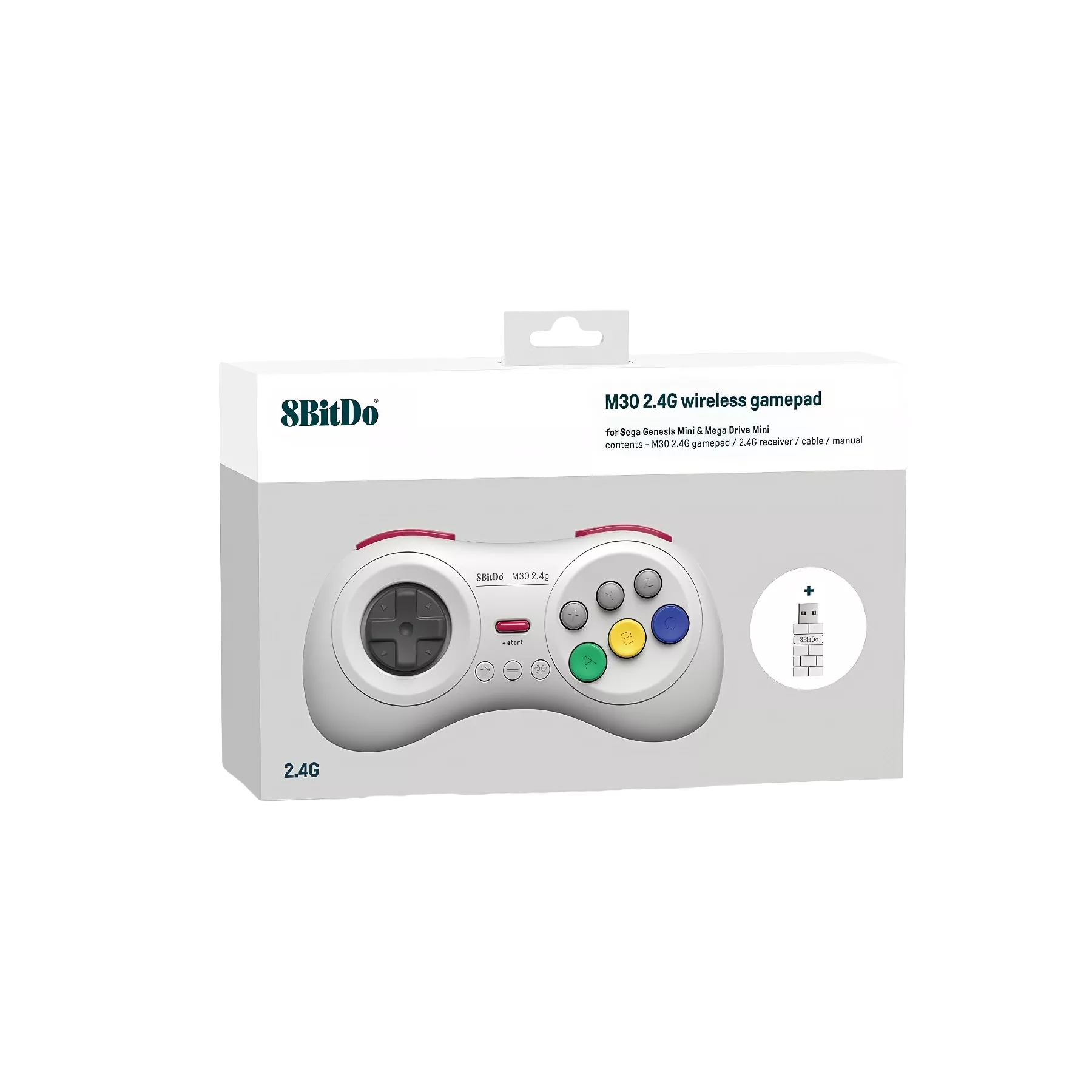
  • 2.4GHz wireless connection with included USB receiver
  • Compatible with Sega MegaDrive Mini, Nintendo Switch, and Windows PC
  • Lag-free gaming experience for retro and modern titles
  • Comfortable ergonomic design in classic white finish
  • Rechargeable battery for hours of wireless gameplay

€29.00 Tax included (21%)

1 in stock
Sold items

This item has been sold

37
times

Relive the 16-bit glory days with wireless freedom!

The 8BitDo M30 2.4G brings back the iconic 6-button controller design that defined the golden age of Sega gaming, now enhanced with modern wireless technology. Whether you're battling through Streets of Rage on your MegaDrive Mini, exploring indie gems on your Nintendo Switch, or diving into retro collections on your PC, this controller delivers authentic Genesis-style control without the cable clutter.

Plug and Play Simplicity

Setting up your M30 2.4G couldn't be easier. Just plug the included 2.4GHz wireless receiver into your device's USB port, power on the controller, and you're ready to game. No complicated pairing processes, no driver installations, no hassle. The receiver works seamlessly with the Sega MegaDrive Mini right out of the box, and switching between your Switch or PC is just as straightforward. You can even use it with other USB controller-compatible devices for maximum versatility.

Zero Lag, Maximum Nostalgia

8BitDo engineered this controller with a dedicated 2.4GHz wireless connection that eliminates input lag, ensuring your button presses register instantly. This is crucial for fast-paced retro games where split-second timing makes all the difference. The familiar 6-button layout feels just like the original Genesis controller you remember, with responsive D-pad and shoulder buttons that handle everything from fighting game combos to platforming precision. The rechargeable battery keeps you gaming for extended sessions without constantly swapping batteries.

Comfort Meets Classic Design

While staying true to the original MegaDrive aesthetic, 8BitDo refined the ergonomics for modern comfort. The controller sits naturally in your hands during long gaming sessions, and the white finish gives it a clean, timeless look that complements any gaming setup. Whether you're a retro enthusiast building your classic collection or a modern gamer discovering 16-bit classics for the first time, the M30 2.4G is your perfect companion for wireless retro gaming adventures.

8BitDo
8bitdo-M30-24gW
1 Item
6922621504016
System
Nintendo Switch
Raspberry Pi
Sega Mega Drive Mini / Genesis Mini
Windows PC
Controller type
Gamepad
Battery category
Secondary, 1-50g
WEEE registration number
23582226
Battery weight (g)
10
Battery capacity (mAh)
480
Connection type
2.4 GHz wireless
Wired
Number of analog sticks
0
Connection compatibility
2.4 GHz wireless
Wired USB
Stick technology
None
Trigger technology
Digital
Controller layout
6-button retro gamepad
Motion control
No
Vibration
No
3.5 mm audio
No
Extra/back buttons
Button/D-pad swap on Switch
Turbo
Remapping/software
No
Charging dock included
No
Input modes (USB)
Switch mode
XInput
Input mode switching
2.4G: bundled Genesis/Mega Drive Mini receiver only, not PC. Windows 10 via micro-USB (XInput), Switch USB (Switch mode). Raspberry Pi also supports USB; exact input protocol not independently confirmed. No Bluetooth.
DRAGONBOX KNOW-HOW

Practical answers about compatibility, features and how things work.

What input modes are available: XInput, DInput, Switch and PlayStation?

XInput is the best choice for most PC gamers. This widely supported input mode follows the Xbox controller layout and is recognized directly by many modern Windows games. For most users, that is all they need. However, XInput support does not automatically mean a controller works on a real Xbox console.

DInput (DirectInput) is the older Windows standard. Some older PC games, such as Crimson Skies or Need for Speed: Underground 2, support DirectInput but not native XInput.

An additional DInput or generic USB HID mode can also be useful for retro gaming systems, FPGA devices, emulators and other specialized setups. Some devices support Xbox-compatible controllers, while others expect a standard USB HID gamepad. Which input modes work depends on the specific device and its software.

For example, MiSTer FPGA supports many USB controllers as well as Xbox-compatible input devices. Depending on the core, different button mappings or special input features may be required. DInput itself is therefore not a general requirement on MiSTer.

If you plan to use your controller with retro or FPGA systems, check which input modes are supported beforehand. A controller with several selectable modes offers more flexibility.

Switch mode makes the controller appear to compatible devices as a Nintendo Switch Pro Controller. It can be useful beyond the Switch: Steam Input, Linux and various applications can also support these controllers. However, not every PC game will recognize this mode automatically.

PlayStation mode can refer to different compatibility modes depending on the controller, such as PS4 controller or PlayStation Classic modes. There is no single universal PlayStation mode. Compatibility with a particular PlayStation console must be explicitly confirmed for the product.

Connection type matters: Not every input mode is available over every connection. Some controllers support DInput only via a USB cable, while others also offer it through a 2.4 GHz receiver or Bluetooth.

That is why our technical specifications list confirmed input modes separately for USB, 2.4 GHz and Bluetooth.

What is the difference between 2.4 GHz wireless and Bluetooth controllers?

Both types of connection are wireless and use the 2.4 GHz frequency band. The difference is the transmission technology: Bluetooth is a widely used standard, whereas “2.4 GHz wireless” usually refers to a manufacturer's own radio link with a matching receiver.

Bluetooth: flexible and widely compatible

Many PCs, gaming handhelds, smartphones, tablets and consoles support Bluetooth controllers. If the controller is compatible with the device, you usually pair it once through the Bluetooth settings. After that, it will normally reconnect automatically.

No additional receiver is needed, leaving a USB port free.

However, not every Bluetooth-enabled device supports every Bluetooth controller. Game consoles in particular may require certain controller models or input modes.

2.4 GHz wireless: plug in and play

Controllers using 2.4 GHz wireless usually come with a matching USB receiver (dongle). Plug it in and switch the controller on. The two are often paired already.

This offers several advantages:

  • No Bluetooth menu or Bluetooth manager setup is needed.
  • It also works with compatible devices that have no built-in Bluetooth.
  • Many systems recognize the receiver as a regular USB controller.
  • That can be particularly useful for PCs, retro systems and other devices with USB ports.

The device must still support the particular receiver and its input mode. Not every dongle automatically works with every system. Some retro controllers also use dedicated receivers for particular consoles.

What about speed?

Many 2.4 GHz controllers offer high polling rates and low, consistent latency. Modern Bluetooth controllers can also be very fast, however. Actual performance depends on the specific controller and connection.

Which connection should I choose?

Bluetooth is especially useful if you want to use a controller with different compatible devices without carrying an extra receiver.

2.4 GHz wireless is often a good choice if you want a straightforward setup, prefer a responsive connection, or use a device without Bluetooth.

Check the product's technical specifications to see which connections and systems it supports.

What do polling rate and latency mean for a controller?

Polling rate and latency both affect how quickly a controller responds to your inputs, but they describe two different things.

What is polling rate?

Polling rate describes how often the controller or its connection reports or requests new input data from the system.

It is measured in hertz (Hz).

Polling rateReporting interval
125 Hz8 milliseconds
250 Hz4 milliseconds
500 Hz2 milliseconds
1,000 Hz1 millisecond

The higher the polling rate, the shorter the interval between input reports can be.

A high polling rate can therefore be useful in fast-paced games. The connected system must also support the relevant reporting rate.

What is latency?

Latency is the delay between an action on the controller and the moment the system registers that input.

Several factors contribute to this delay:

  • How quickly the controller detects and processes the button press.
  • How long transmission via cable, Bluetooth or 2.4 GHz wireless takes.
  • How quickly the connected system processes the input.

Before the action becomes visible on the screen, the game and display introduce additional processing delays.

Does a 1,000 Hz polling rate automatically mean 1 ms of latency?

No. At 1,000 Hz, only the reporting interval is one millisecond. The total input delay can be considerably higher.

In practice, a well-optimized controller running at 500 Hz can therefore respond faster than a poorly optimized controller running at 1,000 Hz.

Which values matter?

For most games, consistently low latency matters more than the highest possible polling rate.

Low delays can be especially beneficial for fast action games, shooters and competitive games. In retro games, processing by emulators, consoles or FPGA systems and the display also matter.

Our tip: A high polling rate is an interesting technical specification, but does not by itself prove that a controller is fast. Measurements of real-world latency under comparable conditions are more meaningful.

Manufacturer
8BITDO TECHNOLOGY HK LIMITED
610 Nathan Road
Rooms 1318-19, 13/F, Hollywood Plaza,
Mongkok, Kowloon
Hong Kong SAR China
EU responsible person
Game Outlet Europe AB
+46 (0)54-854750
Östanvindsgatan 17
652 21 Karlstad
Sweden
chat Comments (0)
8BitDo M30 2.4G White (MegaDrive Mini, Switch, PC)
€29.00