




|
This item has been sold |
| 44 | |
| times |


8BitDo Pro 2 Hall Edition (Switch, PC, macOS, Android)

The 8Bitdo Pro 2 Hall Edition combines classic SNES design with modern features like hall effect sticks, dual back paddles, and wireless connectivity for up to 20 hours of gaming.
- Hall effect analog sticks for enhanced precision and durability
- Connect wirelessly via Bluetooth 4.0 or wired with USB-C cable
- Two programmable back paddle buttons for competitive advantage
- 6-axis motion sensor and customizable vibration feedback
- Store up to 3 custom profiles, switch on-the-fly
- Compatible with Windows PC, Switch, macOS, Linux and more
Experience retro design meets cutting-edge technology with hall effect precision
The 8Bitdo Pro 2 Gamepad Hall Edition takes everything you loved about the original Pro 2 and elevates it with premium hall effect analog sticks. If you're a retro gaming enthusiast who also enjoys modern titles, this controller bridges both worlds perfectly. Its familiar button layout channels classic SNES vibes while packing features that rival any modern gamepad on the market.
What makes the Hall Edition special?
Hall effect sticks are a game-changer. Unlike traditional potentiometer-based sticks that wear down over time and develop the dreaded stick drift, hall sensors use magnetic fields to detect movement. This means your controller stays precise and responsive even after thousands of hours of gaming. You'll enjoy smooth, accurate control whether you're navigating tight platforming sections in retro classics or executing precise movements in modern competitive games.
Connectivity and compatibility that works everywhere
Connect your Pro 2 Hall Edition to virtually any gaming device via Bluetooth 4.0 and enjoy up to 20 hours of wireless freedom on a single charge. The 1000mAh battery keeps you gaming longer, and when you need to recharge, simply plug in the included USB-C cable and keep playing. Switch between X-input, D-input, Switch, and macOS modes with the dedicated mode button to ensure compatibility with your Windows PC, Nintendo Switch, Mac, Linux system, or even your Android device.
Professional features for every type of gamer
Beyond the hall sticks, you get two programmable back paddle buttons that give you a competitive edge in any game. The 6-axis motion sensor opens up gyro aiming possibilities, while the customizable vibration lets you adjust feedback to your preference. Using the 8Bitdo Ultimate software available for PC and mobile (Android/iOS), you can remap every single button and create up to three custom profiles. Switch between your profiles instantly with a dedicated button press—perfect when you jump between different games or genres.
The enhanced grip design ensures comfortable extended gaming sessions, while the full button complement includes four face buttons, two clickable analog sticks, four shoulder buttons, plus screenshot and home buttons for convenient system navigation. Whether you're diving into your retro game collection or exploring modern indie titles, the 8Bitdo Pro 2 Hall Edition delivers the perfect blend of nostalgic design and contemporary functionality.

- System
- Android
Apple
Nintendo Switch
Nintendo Switch 2
Raspberry Pi
SteamOS
Windows PC - Controller type
- Gamepad
- Special features
- Gyroscope
Hall Sensor Analog Sticks (no stick drift)
Vibration - Battery category
- Secondary, 1-50g
- WEEE registration number
- 23582226
- Battery weight (g)
- 10
- Battery capacity (mAh)
- 1000
- Controller connector
- USB
- Connection type
- Bluetooth
Wired - Number of analog sticks
- 2
- Connection compatibility
- Bluetooth
Wired USB-C - Stick technology
- Hall effect
- Trigger technology
- Linear
- Controller layout
- Gamepad
Nintendo ABXY (SNES / Switch) - Motion control
- Yes (Switch)
- Vibration
- Yes
- 3.5 mm audio
- No
- Extra/back buttons
- 2 back paddles
3 profiles - Remapping/software
- Ultimate Software
- Charging dock included
- No
- Input modes (USB)
- DInput
Switch mode
XInput - Input modes (Bluetooth)
- DInput
Switch mode
XInput - Input mode switching
- Rear mode switch: D = DInput, X = XInput; S = Switch mode. Works over Bluetooth and USB.
Practical answers about compatibility, features and how things work.
What input modes are available: XInput, DInput, Switch and PlayStation?
XInput is the best choice for most PC gamers. This widely supported input mode follows the Xbox controller layout and is recognized directly by many modern Windows games. For most users, that is all they need. However, XInput support does not automatically mean a controller works on a real Xbox console.
DInput (DirectInput) is the older Windows standard. Some older PC games, such as Crimson Skies or Need for Speed: Underground 2, support DirectInput but not native XInput.
An additional DInput or generic USB HID mode can also be useful for retro gaming systems, FPGA devices, emulators and other specialized setups. Some devices support Xbox-compatible controllers, while others expect a standard USB HID gamepad. Which input modes work depends on the specific device and its software.
For example, MiSTer FPGA supports many USB controllers as well as Xbox-compatible input devices. Depending on the core, different button mappings or special input features may be required. DInput itself is therefore not a general requirement on MiSTer.
If you plan to use your controller with retro or FPGA systems, check which input modes are supported beforehand. A controller with several selectable modes offers more flexibility.
Switch mode makes the controller appear to compatible devices as a Nintendo Switch Pro Controller. It can be useful beyond the Switch: Steam Input, Linux and various applications can also support these controllers. However, not every PC game will recognize this mode automatically.
PlayStation mode can refer to different compatibility modes depending on the controller, such as PS4 controller or PlayStation Classic modes. There is no single universal PlayStation mode. Compatibility with a particular PlayStation console must be explicitly confirmed for the product.
Connection type matters: Not every input mode is available over every connection. Some controllers support DInput only via a USB cable, while others also offer it through a 2.4 GHz receiver or Bluetooth.
That is why our technical specifications list confirmed input modes separately for USB, 2.4 GHz and Bluetooth.
What is the difference between 2.4 GHz wireless and Bluetooth controllers?
Both types of connection are wireless and use the 2.4 GHz frequency band. The difference is the transmission technology: Bluetooth is a widely used standard, whereas “2.4 GHz wireless” usually refers to a manufacturer's own radio link with a matching receiver.
Bluetooth: flexible and widely compatible
Many PCs, gaming handhelds, smartphones, tablets and consoles support Bluetooth controllers. If the controller is compatible with the device, you usually pair it once through the Bluetooth settings. After that, it will normally reconnect automatically.
No additional receiver is needed, leaving a USB port free.
However, not every Bluetooth-enabled device supports every Bluetooth controller. Game consoles in particular may require certain controller models or input modes.
2.4 GHz wireless: plug in and play
Controllers using 2.4 GHz wireless usually come with a matching USB receiver (dongle). Plug it in and switch the controller on. The two are often paired already.
This offers several advantages:
- No Bluetooth menu or Bluetooth manager setup is needed.
- It also works with compatible devices that have no built-in Bluetooth.
- Many systems recognize the receiver as a regular USB controller.
- That can be particularly useful for PCs, retro systems and other devices with USB ports.
The device must still support the particular receiver and its input mode. Not every dongle automatically works with every system. Some retro controllers also use dedicated receivers for particular consoles.
What about speed?
Many 2.4 GHz controllers offer high polling rates and low, consistent latency. Modern Bluetooth controllers can also be very fast, however. Actual performance depends on the specific controller and connection.
Which connection should I choose?
Bluetooth is especially useful if you want to use a controller with different compatible devices without carrying an extra receiver.
2.4 GHz wireless is often a good choice if you want a straightforward setup, prefer a responsive connection, or use a device without Bluetooth.
Check the product's technical specifications to see which connections and systems it supports.
What do polling rate and latency mean for a controller?
Polling rate and latency both affect how quickly a controller responds to your inputs, but they describe two different things.
What is polling rate?
Polling rate describes how often the controller or its connection reports or requests new input data from the system.
It is measured in hertz (Hz).
| Polling rate | Reporting interval |
|---|---|
| 125 Hz | 8 milliseconds |
| 250 Hz | 4 milliseconds |
| 500 Hz | 2 milliseconds |
| 1,000 Hz | 1 millisecond |
The higher the polling rate, the shorter the interval between input reports can be.
A high polling rate can therefore be useful in fast-paced games. The connected system must also support the relevant reporting rate.
What is latency?
Latency is the delay between an action on the controller and the moment the system registers that input.
Several factors contribute to this delay:
- How quickly the controller detects and processes the button press.
- How long transmission via cable, Bluetooth or 2.4 GHz wireless takes.
- How quickly the connected system processes the input.
Before the action becomes visible on the screen, the game and display introduce additional processing delays.
Does a 1,000 Hz polling rate automatically mean 1 ms of latency?
No. At 1,000 Hz, only the reporting interval is one millisecond. The total input delay can be considerably higher.
In practice, a well-optimized controller running at 500 Hz can therefore respond faster than a poorly optimized controller running at 1,000 Hz.
Which values matter?
For most games, consistently low latency matters more than the highest possible polling rate.
Low delays can be especially beneficial for fast action games, shooters and competitive games. In retro games, processing by emulators, consoles or FPGA systems and the display also matter.
Our tip: A high polling rate is an interesting technical specification, but does not by itself prove that a controller is fast. Measurements of real-world latency under comparable conditions are more meaningful.
What are Hall effect and TMR sticks, and how do conventional analog sticks work?
Modern controllers are often advertised as having Hall effect or TMR sticks. Both technologies aim to provide precise, long-lasting analog sticks. How do they differ from conventional designs?
Conventional analog sticks: potentiometers
Traditional analog sticks use potentiometers, in which a small electrical wiper moves along a resistive track.
The resulting change in electrical resistance is measured to determine the stick's position. Typically, two potentiometers are used to measure horizontal and vertical movement.
The drawback is that the resistive tracks can wear over time due to mechanical contact. Dust and dirt can also interfere with the measurement. One possible result is stick drift: the controller registers movement even though the stick is not being touched.
Hall effect sticks: magnetic sensing without electrical contact
Hall effect sticks use magnets and specialized sensors to determine the position of the analog stick.
They measure changes in a magnetic field, so they do not require the electrical wiper contact used by conventional potentiometers.
This removes a common source of wear. Hall effect sticks are therefore much less susceptible to stick drift caused by worn potentiometer contacts.
TMR sticks: a different magnetic sensor technology
TMR stands for Tunnel Magnetoresistance.
Like Hall effect sticks, TMR sticks sense their position without electrical contact, using magnets. However, the measurement principle is different: the sensors detect changes in electrical resistance caused by the magnetic field.
TMR sensors can be particularly sensitive to small changes and, depending on their design, may consume less power than comparable Hall sensors.
That does not automatically mean every TMR controller is more precise or has better battery life. The electronics, calibration and processing of the sensor readings matter as well.
Are Hall effect and TMR sticks completely immune to stick drift?
No. Both technologies avoid wear of the conventional electrical wiper contacts, but the sticks still contain mechanical components.
For example, return springs can wear, dirt can obstruct movement, and calibration problems can occur. Hall effect and TMR sticks can therefore still report unintended movement.
However, the risk of classic stick drift caused by worn potentiometer tracks is significantly reduced.
How do the triggers (shoulder buttons) work?
Analog triggers, such as LT/RT or L2/R2, can use similar sensing methods:
- Potentiometer triggers: Trigger position is measured through a change in electrical resistance.
- Hall effect triggers: Position is measured without electrical contact, using a magnetic field. This eliminates wear from an electrical wiper contact.
- Digital triggers: These work like regular buttons and detect only whether they are pressed. They do not measure a continuously variable position.
Analog triggers are useful in racing games, for example, because they allow fine control over acceleration and braking. Digital triggers can be useful in games that only need a quick button press.
Which technology is best?
Well-designed Hall effect and TMR sticks offer clear advantages over conventional potentiometers in terms of sensor wear.
TMR may also offer benefits in sensitivity and power consumption. However, a well-designed Hall effect stick can perform just as well as, or better than, a poorly designed TMR stick.
Besides the sensor technology, the mechanics, calibration and overall quality of the controller are equally important.
What is the difference between 8BitDo Pro and Ultimate controllers?
At 8BitDo, “Ultimate” does not automatically mean “better” than “Pro”. The main difference between the two series is their shape and the arrangement of the D-pad and analog sticks.
Pro series: Inspired by classic SNES and PlayStation controllers. The D-pad sits at the upper left, with the left analog stick below it. The two analog sticks are symmetrically positioned. This layout appeals to fans of classic controllers and players who often use the D-pad.
Ultimate series: Inspired by modern Xbox and Nintendo Switch Pro controllers. Here the positions are reversed: the left analog stick is at the upper left, with the D-pad below it. The analog sticks are offset.
Important: The series name does not tell you which controller has more features or better technology. Connectivity, supported platforms, stick technology, triggers and extra features vary by model. Choose based on your preferred layout and the individual controller's specifications.
Manufacturer
EU responsible person
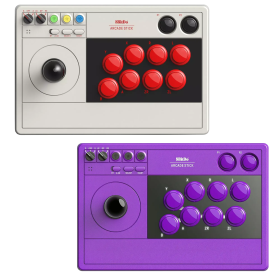


8Bitdo Wireless USB Adapter 2


CX78+ Gamepad

8BitDo Retro 18 Mechanical Numpad - C64 Edition


RetroHQ Mega Multi Adapter


Kingston Canvas Select Plus 128GB microSD Card (Class 10)
128GB storage capacity for huge game libraries
Class 10 speed rating with up to 100MB/s read speeds
Perfect compatibility with Anbernic handhelds and flash carts
Reliable performance for smooth retro gaming
Ideal for storing ROM collections and save states


OSA 2-Button Stick Fully Assembled (9-Pin Joystick)
Premium arcade components (Microswitches) for precise control
Two-button support for Amiga games
Robust 3D-printed housing (PLA) in various colors
Handle with aluminum tubing (break resistant)
1.70 m long cable
Illuminated 30mm buttons (lighting can be turned off)
Handcrafted in Germany
Fully assembled and ready to play – just plug in and go
Shipped without outer packaging (to protect the environment and reduce costs)
Hardness and travel distance can be modified if you have a 3D printer

HighSpeed Mini-HDMI to HDMI Cable (1m)
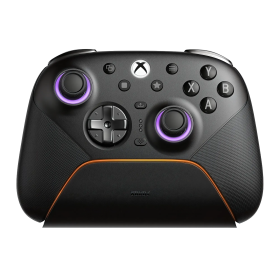
8BitDo Ultimate 3E Controller Gray (Xbox, PC, Android, iOS)
Swappable ABXY modules, D-pads and joystick caps
TMR joysticks, Hall triggers and additional buttons
2.4 GHz or USB on Xbox and Windows; mobile Bluetooth
1400 mAh battery, charging dock and accessory pack included
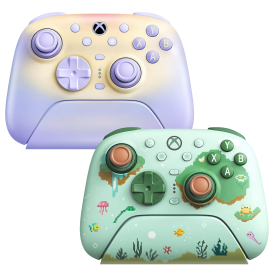
8BitDo Ultimate 3 Controller (Xbox, PC, Android, iOS)
Officially licensed for Xbox Series X|S and Xbox One
2.4 GHz/USB for Xbox and Windows; Bluetooth for Android and Apple
Adjustable-tension TMR sticks and two-stop Hall triggers
Charging dock included; up to 20 hours battery life
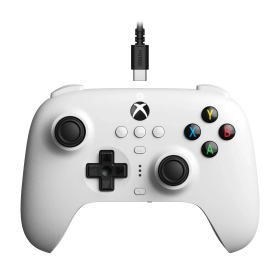
8BitDo Ultimate Wired Hall Controller (Xbox, PC)
Hall Effect sticks and triggers
Official Xbox licence
Back paddles, profiles and headset jack
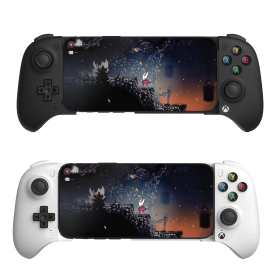
8BitDo Ultimate Mobile Xbox Edition (Android, iOS)
Designed for Xbox cloud gaming
Bluetooth and adjustable phone holder
Hall sticks, triggers and back paddles
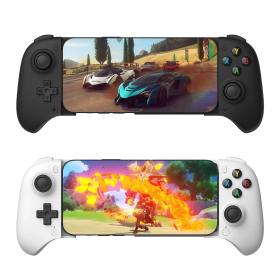
8BitDo Ultimate Mobile Gaming Controller (Android, iOS)
Bluetooth gamepad with telescopic phone grip
Hall sticks and triggers
Two rear paddles and app customization
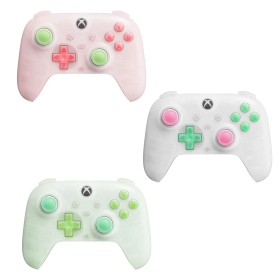
8BitDo Ultimate Mini Wired Controller (Xbox, PC)
Around 20 percent smaller than Ultimate C
Hall sticks and triggers
RGB lighting and Xbox licence
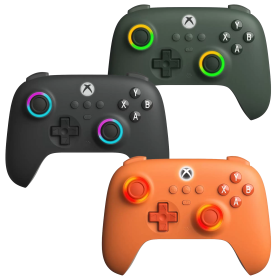
8BitDo Ultimate C Wired Controller (Xbox, PC)
Hall Effect sticks and triggers
Official Xbox licence
RGB Fire Rings and headset jack
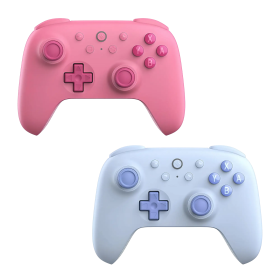
8BitDo Ultimate 2C Bluetooth Controller (Switch)
Hall Effect sticks
Directly remappable R4/L4 bumpers
Bluetooth, USB and Switch motion controls
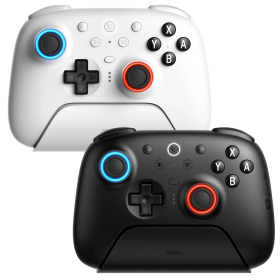
8BitDo Ultimate 2 Bluetooth Controller (Switch, PC)
TMR joysticks with RGB Fire Ring
Switchable Hall Effect triggers
Bluetooth, 2.4 GHz and USB
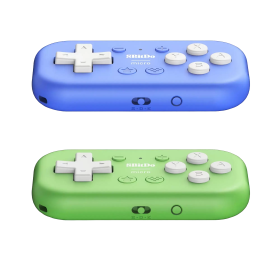
8BitDo Micro Bluetooth Gamepad (Switch, Android)
Ultra-compact 16-button pad
Switch and Android support
Keyboard mode for apps and shortcuts
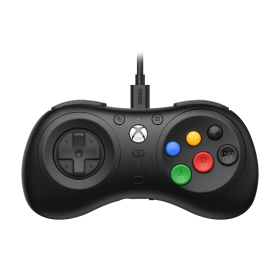
8BitDo M30 Wired Controller (Xbox, PC)
Mega Drive-inspired six-button layout
Official Xbox licence
Layout switching and custom profiles
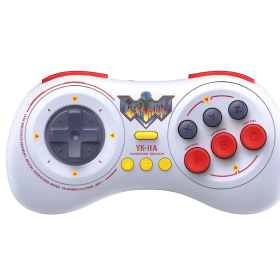
8BitDo M30 Earthion Edition (Switch, PC, Android)
Earthion special design with Mega Drive vibes
Six face buttons and precise D-pad
Bluetooth and USB-C
8BitDo Ultimate 3E Controller Gray (Xbox, PC, Android, iOS)
Swappable ABXY modules, D-pads and joystick caps
TMR joysticks, Hall triggers and additional buttons
2.4 GHz or USB on Xbox and Windows; mobile Bluetooth
1400 mAh battery, charging dock and accessory pack included
8BitDo Ultimate 3 Controller (Xbox, PC, Android, iOS)
Officially licensed for Xbox Series X|S and Xbox One
2.4 GHz/USB for Xbox and Windows; Bluetooth for Android and Apple
Adjustable-tension TMR sticks and two-stop Hall triggers
Charging dock included; up to 20 hours battery life
8BitDo Ultimate Wired Hall Controller (Xbox, PC)
Hall Effect sticks and triggers
Official Xbox licence
Back paddles, profiles and headset jack
8BitDo Ultimate Mobile Xbox Edition (Android, iOS)
Designed for Xbox cloud gaming
Bluetooth and adjustable phone holder
Hall sticks, triggers and back paddles
8BitDo Ultimate Mobile Gaming Controller (Android, iOS)
Bluetooth gamepad with telescopic phone grip
Hall sticks and triggers
Two rear paddles and app customization
8BitDo Ultimate Mini Wired Controller (Xbox, PC)
Around 20 percent smaller than Ultimate C
Hall sticks and triggers
RGB lighting and Xbox licence
8BitDo Ultimate C Wired Controller (Xbox, PC)
Hall Effect sticks and triggers
Official Xbox licence
RGB Fire Rings and headset jack
8BitDo Ultimate 2C Bluetooth Controller (Switch)
Hall Effect sticks
Directly remappable R4/L4 bumpers
Bluetooth, USB and Switch motion controls
8BitDo Ultimate 2 Bluetooth Controller (Switch, PC)
TMR joysticks with RGB Fire Ring
Switchable Hall Effect triggers
Bluetooth, 2.4 GHz and USB
8BitDo Micro Bluetooth Gamepad (Switch, Android)
Ultra-compact 16-button pad
Switch and Android support
Keyboard mode for apps and shortcuts
8BitDo M30 Wired Controller (Xbox, PC)
Mega Drive-inspired six-button layout
Official Xbox licence
Layout switching and custom profiles
8BitDo M30 Earthion Edition (Switch, PC, Android)
Earthion special design with Mega Drive vibes
Six face buttons and precise D-pad
Bluetooth and USB-C