
Game Controllers

For PlayStation, this section contains gamepads, wireless receivers, fight sticks and converters for controllers and steering wheels.

PlayStation 1 and 2 use different connections from PS4 and PS5. Receivers, fighting-stick adapters and wheel converters therefore cover specific generations, with source device, target console and supported functions stated on each listing.

There are 21 products.

Defender 2.4G (PSX / PS2)
In Stock
The Defender 2.4G brings wireless freedom to your retro PlayStation collection and modern systems alike.

2.4GHz wireless technology with over 9m range for lag-free gaming
Pressure-sensitive buttons preserve authentic PlayStation gameplay
Turbo functionality and vibration feedback for enhanced control
Compatible with PS1, PS2, PS3, PS Classic, Nintendo Switch and PC
Includes USB receiver, PS1/PS2 receiver and charging cable
From €45.00
Wingman PS2 Converter (Xbox*/PS*/Switch/Bluetooth/PC to PS1/PS2/PC)
Last items in stock
The Brook Wingman PS2 Converter bridges the gap between modern gaming and classic consoles, letting you use your favorite current-gen controllers on PlayStation 2, PSX, and PS Classic systems.Connect PS5, PS4, Xbox One, Elite2, Xbox 360, and 8BitDo controllers to PS2/PSX/PS ClassicUltra-low-latency technology ensures responsive, lag-free gameplayTurbo function with five adjustable firing speeds for rapid-fire actionCustom button remapping to configure controls exactly how you want themWorks with PC via USB for maximum versatilityPlug-and-play setup with no drivers or software required
From €36.00
Wingman FGC Retro
In Stock
The Brook Wingman FGC Retro brings your classic PS1 and PS2 controllers back to life on modern gaming platforms.

Connect wired PS1/PS2 controllers to PS4, PS5, and PC
Works with dance mats, Taiko drums, flight sticks, and all PS1/PS2 peripherals
Zero-lag tournament-grade performance for competitive play
Advanced customization via Brook Converter Center software
Turbo, macro functions, and button remapping included
Touchpad simulation for full PS4/PS5 compatibility
€49.00
Ras1utionX (Racing Wheel Converter for XB X|S/XB1/XB360 Games)
Last items in stock
The Ras1utionX racing wheel converter lets you use your existing steering wheel across Xbox Series X|S, Xbox One, and Xbox 360 platforms without buying expensive new hardware.

Compatible with over 80% of all racing wheels on the market
Full force feedback support with customizable strength settings
Adjustable steering range and sensitivity via exclusive app
Works seamlessly with Xbox Series X|S, Xbox One, and Xbox 360
Easy setup and configuration process
Save money by using your favorite wheel across multiple platforms
€75.00
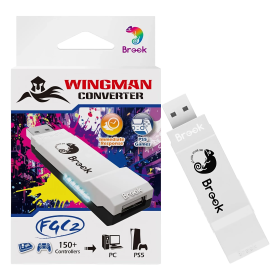
Wingman FGC2 Converter (Wired Fighting Stick to PS5)
In Stock
The Brook Wingman FGC2 Converter lets you use your favorite wired arcade sticks and fight sticks on PS5 and PC without hassle.

Compatible with over 150 official and third-party wired controllers
Plug-and-play setup - no configuration required
Advanced customization via Brook Converter Center software
Tournament-ready and compliant with international EVO standards
Full PS5 game compatibility with ultra-low latency
Supports Turbo, Remap, Macro and stick sensitivity settings
€59.00
Defender Bluetooth Edition (PS3/PS4)
In Stock
The Defender Bluetooth Edition brings retro vibes and modern wireless tech to your PS3, PS4, and PC gaming sessions!True wireless Bluetooth connection - no dongle requiredFull SixAxis motion control and pressure-sensitive buttonsTurbo functionality for competitive edgeVibration feedback and ergonomic design30+ feet wireless range with rechargeable batteryUSB-C charging cable included
From €59.00
Mantis Wireless Mini Bluetooth Controller (PS4 / PC)
In Stock
The Mantis Wireless Mini Bluetooth Controller brings pro-level features to your PS4 and PC gaming in a compact, ergonomic design.Hall Effect technology in analog sticks and triggers eliminates stick drift permanentlyTwo programmable back buttons plus adjustable trigger stops for competitive playFull PS4 functionality with touchpad, LED light bar, gyroscope, and vibrationComfortable mini design with textured grips and precise D-padXInput and DInput modes switchable on the fly for maximum compatibility
From €47.00
X One Adapter SE (XSX|S / Elite Series 2 to PS4 / Switch)
In Stock
The Brook X One Adapter SE lets you use your Xbox Series X|S or Elite Series 2 controller on PlayStation 4, Nintendo Switch, and more platforms without any hassle.

Works with PS4, PS5 (PS4 games), Switch, iOS, Android, and PC (Steam)
Supports audio output on PS4 and 6-axis motion controls on PS4 and Switch
Turbo button functionality for easy autofire on any button
Full button remapping capability for custom configurations
Simulates PS4 touchpad for complete compatibility
Simple plug-and-play design - no additional adapters needed
€59.00
X One Adapter Extra XL (XBox One / Elite Series 1 to PS4 and Switch)
Last items in stock
Transform your Xbox One or Elite Series 1 controller into a universal gaming powerhouse that works seamlessly across all your favorite platforms!Use your Xbox One/Elite Series 1 controller on Switch, PS4, PS5 (PS4 games), Xbox Series X/S, PC, iOS, and AndroidIntegrated rechargeable battery provides up to 10 hours of gameplay with charge-while-playing supportFull 6-axis motion control support for PS4 and Switch gamingTurbo button functionality and complete button remapping for customized controlsPS4 touchpad simulation and audio support includedNo external adapter needed - plugs directly into your controller
From €39.00
Defender Pro (PSX / PS2 / PS3 / PC / Switch)
In Stock
The Defender Pro by Retro Fighters is your ultimate wireless gaming controller for PlayStation 1, 2, 3, PC, and Nintendo Switch—packed with modern features for retro and current-gen gaming.

Hall Effect analog sticks eliminate stick drift for precise control
Dual wireless modes: 2.4GHz and Bluetooth with 30+ foot range
Programmable back grip buttons and pressure-sensitive face buttons
1000Hz polling rate for ultra-low latency performance
Switch between analog and digital trigger modes on the fly
Complete package with PS1/2 receiver, USB receiver, and braided USB-C cable
From €72.00
Wingman P5 Converter (Wired and Wireless controllers to PS5, PS4 and PC)
In Stock
The Brook Wingman P5 lets you use your favorite wired or wireless controllers on PS5, PS4, and PC with zero hassle!

Supports over 150 different controllers from various manufacturers
Full vibration and six-axis motion support for immersive gameplay
Customize with button remapping, turbo fire, and macro functions
Ultra-low latency for competitive gaming performance
Plug-and-play design - no complicated setup required
Works with wireless controllers even on PCs without Bluetooth
€76.99
FightBox Twin Stick R10 (PC/PS3/PS4/NSW)
Last items in stock
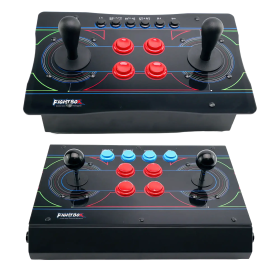
The FightBox R10-Twin is your ticket back to the golden age of twin-stick shooters – featuring two full-sized arcade joysticks, a solid metal case, and a GP2040-CE board for virtually zero input lag. Available in the Japanese Sanwa version and the American HAPP version – pick your style!

Two full-sized arcade joysticks for authentic twin-stick gameplay
Sanwa or HAPP sticks selectable (check product variant)
Metal case with transparent acrylic panel
GP2040-CE firmware on Raspberry Pi Pico – zero delay
Compatible with PC, PS3, PS4 & Nintendo Switch
From €149.00
DRAGONBOX KNOW-HOW

Frequently asked questions

Practical answers about compatibility, features and how things work.

What input modes are available: XInput, DInput, Switch and PlayStation?

XInput is the best choice for most PC gamers. This widely supported input mode follows the Xbox controller layout and is recognized directly by many modern Windows games. For most users, that is all they need. However, XInput support does not automatically mean a controller works on a real Xbox console.

DInput (DirectInput) is the older Windows standard. Some older PC games, such as Crimson Skies or Need for Speed: Underground 2, support DirectInput but not native XInput.

An additional DInput or generic USB HID mode can also be useful for retro gaming systems, FPGA devices, emulators and other specialized setups. Some devices support Xbox-compatible controllers, while others expect a standard USB HID gamepad. Which input modes work depends on the specific device and its software.

For example, MiSTer FPGA supports many USB controllers as well as Xbox-compatible input devices. Depending on the core, different button mappings or special input features may be required. DInput itself is therefore not a general requirement on MiSTer.

If you plan to use your controller with retro or FPGA systems, check which input modes are supported beforehand. A controller with several selectable modes offers more flexibility.

Switch mode makes the controller appear to compatible devices as a Nintendo Switch Pro Controller. It can be useful beyond the Switch: Steam Input, Linux and various applications can also support these controllers. However, not every PC game will recognize this mode automatically.

PlayStation mode can refer to different compatibility modes depending on the controller, such as PS4 controller or PlayStation Classic modes. There is no single universal PlayStation mode. Compatibility with a particular PlayStation console must be explicitly confirmed for the product.

Connection type matters: Not every input mode is available over every connection. Some controllers support DInput only via a USB cable, while others also offer it through a 2.4 GHz receiver or Bluetooth.

That is why our technical specifications list confirmed input modes separately for USB, 2.4 GHz and Bluetooth.

What is the difference between 2.4 GHz wireless and Bluetooth controllers?

Both types of connection are wireless and use the 2.4 GHz frequency band. The difference is the transmission technology: Bluetooth is a widely used standard, whereas “2.4 GHz wireless” usually refers to a manufacturer's own radio link with a matching receiver.

Bluetooth: flexible and widely compatible

Many PCs, gaming handhelds, smartphones, tablets and consoles support Bluetooth controllers. If the controller is compatible with the device, you usually pair it once through the Bluetooth settings. After that, it will normally reconnect automatically.

No additional receiver is needed, leaving a USB port free.

However, not every Bluetooth-enabled device supports every Bluetooth controller. Game consoles in particular may require certain controller models or input modes.

2.4 GHz wireless: plug in and play

Controllers using 2.4 GHz wireless usually come with a matching USB receiver (dongle). Plug it in and switch the controller on. The two are often paired already.

This offers several advantages:

  • No Bluetooth menu or Bluetooth manager setup is needed.
  • It also works with compatible devices that have no built-in Bluetooth.
  • Many systems recognize the receiver as a regular USB controller.
  • That can be particularly useful for PCs, retro systems and other devices with USB ports.

The device must still support the particular receiver and its input mode. Not every dongle automatically works with every system. Some retro controllers also use dedicated receivers for particular consoles.

What about speed?

Many 2.4 GHz controllers offer high polling rates and low, consistent latency. Modern Bluetooth controllers can also be very fast, however. Actual performance depends on the specific controller and connection.

Which connection should I choose?

Bluetooth is especially useful if you want to use a controller with different compatible devices without carrying an extra receiver.

2.4 GHz wireless is often a good choice if you want a straightforward setup, prefer a responsive connection, or use a device without Bluetooth.

Check the product's technical specifications to see which connections and systems it supports.

What do polling rate and latency mean for a controller?

Polling rate and latency both affect how quickly a controller responds to your inputs, but they describe two different things.

What is polling rate?

Polling rate describes how often the controller or its connection reports or requests new input data from the system.

It is measured in hertz (Hz).

Polling rateReporting interval
125 Hz8 milliseconds
250 Hz4 milliseconds
500 Hz2 milliseconds
1,000 Hz1 millisecond

The higher the polling rate, the shorter the interval between input reports can be.

A high polling rate can therefore be useful in fast-paced games. The connected system must also support the relevant reporting rate.

What is latency?

Latency is the delay between an action on the controller and the moment the system registers that input.

Several factors contribute to this delay:

  • How quickly the controller detects and processes the button press.
  • How long transmission via cable, Bluetooth or 2.4 GHz wireless takes.
  • How quickly the connected system processes the input.

Before the action becomes visible on the screen, the game and display introduce additional processing delays.

Does a 1,000 Hz polling rate automatically mean 1 ms of latency?

No. At 1,000 Hz, only the reporting interval is one millisecond. The total input delay can be considerably higher.

In practice, a well-optimized controller running at 500 Hz can therefore respond faster than a poorly optimized controller running at 1,000 Hz.

Which values matter?

For most games, consistently low latency matters more than the highest possible polling rate.

Low delays can be especially beneficial for fast action games, shooters and competitive games. In retro games, processing by emulators, consoles or FPGA systems and the display also matter.

Our tip: A high polling rate is an interesting technical specification, but does not by itself prove that a controller is fast. Measurements of real-world latency under comparable conditions are more meaningful.

Can I remap controller buttons or use macros and turbo functions?

That depends on the controller. Remapping, macros and turbo are different features. Not every controller supports all of them, and some settings are available only through specific software, connection types or input modes.

  • Remapping: One button takes over the function of another, such as swapping A and B. Depending on the model, button mappings can be changed on the controller or in an app, sometimes with saved profiles.
  • Macros: A single press triggers several inputs at once or in a sequence. Support for button sequences, timing and custom combinations varies by controller. Remappable buttons do not automatically mean macro support.
  • Turbo: A button sends repeated presses without the player having to press it over and over. Some controllers repeat only while the button is held; others also offer continuous automatic repetition.
  • Keyboard input: Some controllers or configuration apps can map controller buttons to keyboard commands. This is useful for PC games with functions that are accessible only through keyboard keys. Keyboard mapping is not an inherent feature of macros.

Important: Extra buttons do not necessarily support programmable macros. Some can only duplicate existing controller buttons. Software availability, profiles and stored settings also vary by model and platform.

Check the technical specifications and, where available, the FAQs on the individual product page for functions confirmed for that particular controller. Online games may also have their own rules regarding macros or turbo functions.

Why does my controller work on a PC but not necessarily on Xbox or PlayStation?

A controller that works on Windows is not automatically compatible with an Xbox or PlayStation console. PC input modes and compatibility with a real console are two different things.

XInput is a widely supported Windows game input standard based on Xbox-style controllers. A gamepad may operate as an XInput device on a PC without being recognized as an authorized controller by a physical Xbox console. DInput or generic USB gamepad support does not guarantee console compatibility either.

Xbox and PlayStation: Supported controllers depend on the console generation, the connection protocol and the devices accepted or authorized by the system. Compatibility with an older console does not automatically extend to the next generation or to every game.

Adapters and receivers: Some controllers require a receiver or adapter specifically intended for the target console. An ordinary Bluetooth or 2.4 GHz USB receiver designed for PCs will not necessarily work on consoles. The available input modes may also differ between USB, Bluetooth and 2.4 GHz connections.

Nintendo Switch and Steam: A Switch- or Steam-compatible input mode does not itself establish Xbox or PlayStation support. Likewise, PC software may recognize controllers that a particular console game cannot use directly.

What matters is the explicitly confirmed platform support of the specific controller. Check the compatibility list and technical specifications on its product page rather than relying on labels such as “XInput”, “Bluetooth” or “for PC”. If a console is not listed, do not assume that it is supported.