List of products by brand Anbernic

Anbernic is best known for retro handhelds that make classic systems portable across a wide range of sizes and performance levels.

There are 16 products.

Anbernic RG 35xx Pro (incl. Carry Case)
Out-of-Stock
Compact Linux handheld focused on classic consoles and quick pick-up-and-play sessions.

3.5" IPS display (640×480, 4:3)
Linux
Handles 8-bit/16-bit systems and PS1 smoothly. N64, Dreamcast and PSP can be hit-or-miss depending on the game.
Official carrying case included
From €69.00
Anbernic RG 477V Carry Case
Last items in stock
The official Anbernic carrying bag for the RG477V – tailor-made for your powerhouse handheld, with a soft velvety interior lining for maximum protection. Features the Anbernic logo on the outside.

Perfect fit for the Anbernic RG477V
Soft velvety interior padding protects against scratches
Extra room for charging cable & accessories
Official Anbernic accessory with logo
€9.99
Anbernic RG DS (Android 14) (incl. Carry Case)
Out-of-Stock
Dual-screen Android handheld built for DS-style gaming and retro emulation.

2×4.0" IPS display (640×480 each, 4:3)
Android 14
Excellent for DS-style emulation and classic systems. 3DS is generally too demanding for this hardware.
Official carrying case included
Stylus included
From €135.00
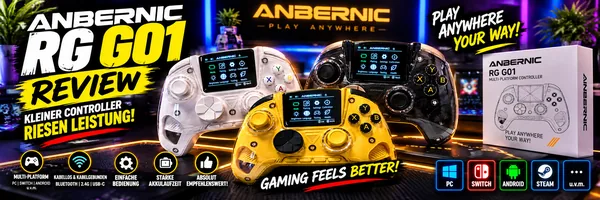
Anbernic RG G01 Controller (incl. Smartphone Holder)
In Stock
The Anbernic RG G01 is a smart multi-platform controller featuring a built-in 2.5D IPS display, drift-resistant electro-inductive sticks, and an integrated heart rate sensor – a true one-of-a-kind in the controller world.

Platforms: PC / Steam / Linux / Switch / Switch 2 / Android / iOS
Connection: Bluetooth 5.0 / 2.4GHz wireless / Wired (USB-C)
Polling rate: 1000Hz (wired & 2.4GHz)
Battery: 2100mAh – up to 21 hours playtime
Colors: White / Yellow / Black
From €59.00
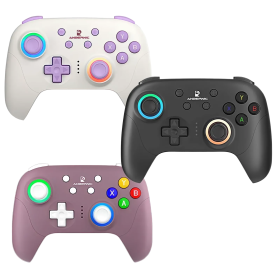
Anbernic RG P01 Wireless Controller (PC / Switch / Android / iOS)
Out-of-Stock
The Anbernic RG P01 is a versatile wireless controller that works seamlessly with PC, Switch, Android and iOS devices.Hall-effect analog sticks and triggers eliminate stick drift foreverTriple connectivity: Bluetooth 5.3, 2.4GHz wireless dongle, or USB-C wiredXbox-style layout with ergonomic grip and responsive buttonsBuilt-in gyroscope for motion controls and customizable RGB lightingMacro support, turbo function, and vibration feedback includedUp to 9 hours battery life with fast charging
From €21.00
Anbernic RG Vita / Vita Pro Carry Case
In Stock
The official Anbernic protective bag – tailored specifically for the RG Vita and RG Vita Pro. Soft padded interior, sturdy exterior: your handheld travels safely.

Perfect fit for Anbernic RG Vita & RG Vita Pro
Soft padded inner lining for scratch-free protection
Guards against dust, scratches, and minor impacts
Compact and lightweight – great for on-the-go
Handheld not included – bag only
€9.99
Anbernic RG Vita Pro (Android 14, Linux)
Last items in stock
The Anbernic RG Vita Pro is a stylish retro handheld with a PS Vita-inspired design, delivering smooth emulation of your entire retro library from 8-bit classics to PSP, N64, and Dreamcast – plus modern mobile gaming and PC ports thanks to its Android 14 & Linux dual-OS.

Emulation sweet spot: Excellent up to PSP, N64 & Dreamcast – PS2/GameCube with caveats
Dual-OS: Android 14 + Linux, switchable at boot (installed on a 16GB SD Card)
Display: 5.5-inch 1080p IPS touchscreen (16:9)
Hall-effect sticks with RGB lighting, 5,000 mAh battery, Wi-Fi 6
AI features: Real-time translation, one-click game guides & more
From €199.00
Anbernic RG34xx (incl. Carry Case and SD Card)
Out-of-Stock
GBA-style handheld with a crisp 3:2 screen that suits handheld-era classics perfectly.3.4" IPS display (720×480, 3:2)LinuxHandles 8-bit/16-bit systems and PS1 smoothly. N64, Dreamcast and PSP can be hit-or-miss depending on the game.Official carrying case included
From €85.00
Anbernic RG35xx SP Handheld (incl. Carry Case and SD-Card)
Out-of-Stock
Compact Linux handheld focused on classic consoles and quick pick-up-and-play sessions.3.5" IPS display (640×480, 4:3)LinuxHandles 8-bit/16-bit systems and PS1 smoothly. N64, Dreamcast and PSP can be hit-or-miss depending on the game.Official carrying case included
From €79.00
Anbernic RG40xxH (incl. Carry Case and SD Card)
Out-of-Stock
Budget-friendly handheld with a larger screen for comfortable classic retro play.4.0" IPS display (640×480, 4:3)LinuxHandles 8-bit/16-bit systems and PS1 smoothly. N64, Dreamcast and PSP can be hit-or-miss depending on the game.Official carrying case included
From €89.00
Anbernic RG40xxV Handheld (incl. Carry Case and SD Card)
Out-of-Stock
Budget-friendly handheld with a larger screen for comfortable classic retro play.

4.0" IPS display (640×480, 4:3)
Linux
Handles 8-bit/16-bit systems and PS1 smoothly. N64, Dreamcast and PSP can be hit-or-miss depending on the game.
Official carrying case included
From €85.00

Anbernic is best known for retro handhelds that make classic systems portable across a wide range of sizes and performance levels. Our range includes several RG handhelds and the matching wireless controller.

The product pages explain the differences between the models, the systems that run well and what is already included. Similar model names can hide substantial differences in display, size, operating system and performance, so comparing them is worthwhile.

DRAGONBOX KNOW-HOW

Frequently asked questions

Practical answers about compatibility, features and how things work.

What is the difference between Linux, Android and custom firmware on Anbernic handhelds?

Anbernic handhelds can run Linux, Android or, on some models, both. The right system depends on the games you want to play and your preferred setup.

Linux

Linux firmware usually starts directly in an emulator-focused interface, making it convenient for classic retro games. Actual performance also depends on the processor, graphics drivers and emulators.

Android

Besides emulators, Android can run native Android games and apps. Many handhelds provide better 3D support under Android, which is why demanding emulators for newer systems are often primarily developed for Android. This does not automatically make Android faster on every device.

Custom firmware

Community-developed alternatives such as muOS, KNULLI and ROCKNIX for Linux-based handhelds, or GammaOS Next for certain Android models, may provide more polished interfaces, newer emulators and better defaults. They can improve usability or performance but results vary by device.

We do not ship custom firmware preinstalled. We asked the developers, who requested that retailers do not preinstall their firmware. We respect that decision. Customers may install a compatible alternative themselves.

Installation matters: Many Linux handhelds boot from microSD, so an alternative system can often be written to a separate card while the original system card remains untouched as a fallback. Android custom firmware such as GammaOS may instead replace the system on internal storage, wipe data and risk making the device unusable if the wrong files are flashed. Always check the exact model and official installation instructions.

Our muOS beginner video demonstrates the process step by step (in German). See the individual handheld's product FAQ for compatible firmware projects.

Do Anbernic handhelds from DragonBox come with preinstalled games?

No. DragonBox Anbernic handhelds are shipped without preinstalled games. We deliberately do not include collections of commercial ROMs, which can raise serious copyright issues without the required permissions.

Everything else is prepared: Our devices already include the operating system, the necessary emulators and the usual game folders. You simply copy your own, lawfully usable game files in the correct format into the appropriate directories.

Some emulated systems also need separate BIOS files, which cannot always be included due to licensing restrictions. The exact locations and formats depend on the model and firmware.

See our other FAQ for ways to obtain compatible games or extract them from your own cartridges.

Where can I get games for my Anbernic handheld?

Anbernic handheld emulators generally use the same game files as their corresponding PC emulators. Supported systems depend on the hardware and firmware.

Dump your original cartridges: Hardware such as the Retrode with suitable adapters can read supported cartridges that you own. Be sure to follow applicable copyright rules, especially those concerning copy protection.

New games for retro systems: Developers still release new games for Game Boy, NES, Mega Drive, Amiga and many other classic platforms. Some offer authorized free downloads or demos; others sell inexpensive digital versions. Obtain files from authorized sources.

Recommendations and sources: The English-language BrewOtaku magazine covers and reviews new retro games and often tells readers where to get them. DragonBox offers BrewOtaku in digital and printed editions, with several digital issues available free of charge.

Important: Just because a ROM is available for download does not mean it can be legally downloaded. Owning the original game does not automatically authorize downloads of copies from unrelated ROM sites.

What do Anbernic handheld model numbers mean?

Many Anbernic model names give clues about the screen size, device family and body shape, but there is no perfectly consistent naming scheme for every model.

Take the RG40XX H as an example:

  • RG identifies the retro gaming handheld family.
  • 40 refers here to the 4.0-inch display. Similarly, RG35XX models usually have 3.5-inch screens and RG28XX models have 2.8-inch screens.
  • XX identifies a device family. More recent XX models such as the RG40XX H generally use the Allwinner H700, but XX is not a universally valid processor designation.
  • H means horizontal, referring to the landscape-style layout.

Other common suffixes include V for a vertical Game Boy-style layout, SP for a clamshell design and, in some series, M for a metal shell. Plus and Pro indicate variants or generations rather than a consistent level of performance.

For example, RG40XX H and RG40XX V differ primarily in their body shape and control layout, while the RG35XX SP uses a clamshell design.

Exceptions: Names such as RG Cube, RG DS and other newer device families do not follow all these rules. Always check the product page for the actual processor, OS, display and emulation performance.

How do I add my own games to an Anbernic handheld?

Our Anbernic handhelds already include emulators and the expected game folders. Games are not included; you can add your own game files that you are entitled to use.

  1. Check the format: Depending on the emulator, supported files may include ROM files, ZIP archives or disc images such as CHD and matching BIN/CUE files.
  2. Transfer your files: Linux handhelds often allow access via microSD or network services. Android models may support USB file transfer, a file manager or microSD storage.
  3. Use the correct folder: On muOS, games go under ROMS; on KNULLI, they belong in roms in user storage. Android paths depend on the emulator and frontend.
  4. Refresh the game list: If a game is missing, rescan the folder or assign a suitable emulator/core.

Important: Never format or overwrite the system card just to copy game files. Back up existing files first.

What are BIOS files, and do I need them for my Anbernic handheld?

BIOS files contain part of a console or computer’s original system software. Some emulators require them to start, while others work without a BIOS or use one optionally for better accuracy.

Why are they not all preinstalled? Many BIOS files are copyrighted. They are not automatically included with an emulator and cannot simply be redistributed without permission.

Where do they go? The location depends on the firmware. On muOS, use MUOS/bios and its BIOS checking feature. On KNULLI, use the bios folder on user storage; Missing BIOS check helps identify missing or mismatched files. On Android, the required folder depends on the emulator.

Important: The exact filename, version and sometimes checksum matter. Follow the emulator’s documentation and only use BIOS files you are legally entitled to use.

What is the difference between game saves and save states, and how can I back them up?

There are two different ways to save progress on a retro handheld:

  • Normal in-game saves: Use the game’s own save function, just like on the original console. These files often work with other emulators for the same system, but may need renaming or conversion.
  • Save states: The emulator saves a snapshot of the running game so you can resume at almost any point. These files often depend on the exact emulator/core and sometimes even its version.

Our recommendation: Use in-game saving whenever possible for long-term progress. Save states are useful extras but should not replace normal saves and backups. Updating or switching emulators can make old save states incompatible.

Where are the files? This depends on firmware and emulator. KNULLI keeps them under saves in user storage. On muOS, saves and other user files are kept in the MUOS directory structure. On Android, RetroArch and standalone emulators can use different locations.

Before changing firmware: Back up both normal game saves and save states to a PC or another drive. Do not copy only the game files. Moving saves between handhelds requires compatible games, emulators, filenames and save formats.

Can I replace or upgrade the microSD card in my Anbernic handheld?

On many Anbernic handhelds, yes. The procedure depends on whether the microSD card stores only games or also contains the operating system. Not every model has two card slots, and some Android devices boot from internal storage.

  • Game-only storage: After making a backup, copy the games and any required data to a compatible, appropriately formatted larger card, keeping the folder structure intact.
  • Linux system card: If the operating system is on the microSD card, simply copying visible files is usually not enough. The new card must be prepared with the correct system image, or the original card must be cloned completely. Partition layout and actual card capacity also matter.
  • Two card slots: Depending on firmware, the system and game data can be stored on separate cards. On KNULLI, the second card has to be selected as the user-data drive. The two storage areas are not automatically combined.

FAT32, exFAT or ext4? The firmware determines the correct filesystem. KNULLI, for example, supports exFAT and ext4 for user storage. Windows normally cannot read ext4 without additional software. Never format a card just because Windows prompts you to!

Before replacing a card: Back up games, BIOS files, normal saves, save states and personal settings separately. Test the new card completely before erasing the old one.

How can I safely update the firmware on my Anbernic handheld?

A firmware update is different from updating an emulator. Firmware includes the operating system and its configuration. Depending on the platform, emulators and cores can also receive separate updates.

Linux handhelds: Follow the instructions for the firmware actually installed on your device. muOS / MustardOS generally recommends backing up your data and flashing a fresh system image for major version changes. KNULLI supports different update methods depending on the release, including smaller updates, over-the-air updates or a newly flashed image. Major upgrades may require a clean installation. On devices with two microSD slots, keeping user data on a separate card can make the process easier, but it is not a substitute for a backup.

Android handhelds: For normal system updates, use only the updater or official firmware files intended for the exact model. Apps and emulators can often be updated separately. Installing alternative Android firmware such as GammaOS Next is a different flashing procedure that can change internal storage and erase data.

Before any major update: Back up game saves, save states, BIOS files, personal settings and, if appropriate, the entire system card. Verify the exact device model and release notes, download only from official sources and keep the device powered reliably. Never interrupt a flash or update procedure.

If your system already works well: There is no need to install every update immediately. Read the release notes for fixes, new features and known issues that matter to your device.